Categories
Blog

Is your website should be mobile friendly?

A mobile-friendly website is necessary for your business website? Does this question ever come in your mind? If it is “Yes” then you should read this blog.

India is the second-largest populated country in the world. According to the 2017 census, the population of India was 1.34 billion. The population is increasing day by day also increasing mobile phone users. Mobile phone users in India crossed 581 million users in 2014 and has been on a steady rise over the last decade. A recent survey shows that India has 1.17 billion cellphone subscribers. That means 87% of the Indian population is using a cellphone. People have consistently accessed the internet from their mobile phone more than from a desktop or laptop computer. Still, you might be wondering if having a mobile-friendly website is really important for your business??

The answer is a big “Yes” mobile-friendly website is necessary.

Mobile internet use is growing fastly. Recent studies show that more than half of website traffic comes from mobile devices.

Google says that” 61% of users are unlikely to return to a mobile site they had trouble accessing and 40% visit a competitor’s site instead. Google also using the mobile-friendly website as a ranking factor. People are likely to visit a website that provides a better mobile experience.

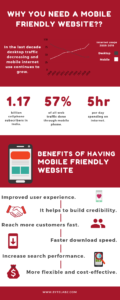
Mobile Friendly website infographics

Benefits of having a mobile-friendly website

Most of the visitors accessing your website on mobile devices. It is important to make sure that all of your visitors have a positive experience, regardless of what type of device they’re using. If your website loading time is not good then your client may move to the competitor’s website.

Having a mobile-friendly website brings with it many advantages, including:
  1. Improved user experience.
  2. It helps to build credibility.
  3. Reach more customers fast.
  4. Faster download speed.
  5. Increase search performance.
  6. More flexible and cost-effective.
 

A responsive website is good for business. Responsive web design increased search engine rankings and mobile conversion rate. By using mobile-friendly elements like the hamburger menu, they made the website easier to use on mobile and tablet, thus keeping more visitors on website longer, and ultimately generating more sales.

How to check your website is mobile-friendly or not?

There are lots of tools are available on the internet. Mobile-friendly test -Google search console Responsinator Simply paste your URL and press enter to see how your page scores.

Do you need a responsive website?

If you are thinking about a mobile update or redesign for your company website, you will most likely need to coordinate planning with a professional web designer and web developer. We are one of the most prominent Webdesign and web development company in Trivandrum more than a decade of experience in website development. If you would like a complimentary assessment of your organization’s website, feel free to contact us. Our client-friendly professionals are ready to help you at any time.

Categories
Blog

Top CSS Frameworks For Webdesigners

During the early days developing a website was hard stuff. It used to take long hours and lots of hard work. Web designers need to write more than 100 lines of codes for a single page. But now things have changed. Technologies are developing rapidly so everything is simple and time-saving. CSS frameworks emerged over time and took most of the struggles away.

Today web designers can’t imagine coding without their favorite CSS framework. With the help of CSS framework, they can easily create code and it’s saving their valuable time. Currently, there are wide ranges of frameworks available in the tech world and new ones are emerging. It’s difficult to choose a framework among them.

But how do you know which framework is suited for you? And how could you select a proper framework for your design?

First, you should understand about CSS framework and what responsive CSS frameworks do.

What is a CSS framework??

Wikipedia says that “A CSS framework is a software framework that is meant to allow for easier, more standards-compliant web design using the Cascading Style Sheets language

We create applications to lessen our tasks hence the framework is built so that we code less. The main advantage of CSS framework is even a beginner can develop a website faster as it requires minimal coding skills and comes with many useful widgets. This type of framework not only helps non-skilled people but it also helps skilled people. Skilled people can save their time and they can build a website faster. A CSS framework that supports responsive web design will save you valuable time and you will be able to develop within a time range.

In order to build a website, many bypaths seem available for any designer and developer. Frameworks are enhancing the designing process which will in turn speed up the entire process. A CSS framework is said to be the one which focuses on delivering a package made of the back-end, structured and standardized scripts like HTML5, CSS, and JavaScript. This is often mentioned as a front-end framework. Their main aim is to assist people in structuring their pages. In this way, you save your time from cumbersome coding and you don’t have to redo the code from scratch every time.

A CSS Framework means to provide ease in the process of web designing. This speeds up the entire process of website designing.

In this article, I’m going to discuss the pros and cons of the top CSS framework. You can select the right CSS framework and complete your website development quickly.

Bootstrap 4

It is one of the most favorite CSS framework used today. The world’s most popular front-end component library was developed by Mark Otto and Jacob Thornton. This open-source tool kit is developing with HTML, CSS and JS. Using this popular framework we can build web applications, websites and even mobile apps. Bootstrap is a responsive CSS framework it contains components and utilities including Sass variables and mixings, responsive grid system, flexbox, carousels, and models.

Pros:-
  • It’s consistent and appealing UI, out-of-the-box.
  • Provides lots of free and premium themes, templates and plugins.
  • Supported by all the major browsers.
  • It easily fixes CSS compatibility issues.
  • It is easy to learn.
Cons:-
  • It requires a lot of rewriting of CSS file if you want to customize and get diverted from the structure of this framework.
  • Its complex style leads to heaps of not so semantic HTML output.
  • The JavaScript in Bootstrap is connected to jQuery.

Foundation

Another responsive front end framework is the Foundation. This responsive CSS framework helps in developing and designing beautiful and attractive websites.  Foundation is developed and maintained by ZURB. Bootstrap and Foundation are the most-used frameworks currently in existence. It is written in HTML, CSS, Sass, and JavaScript. It’s currently on version 6 and comes feature-packed with a ton of components. Foundation is mostly used with websites, however, it also offers versions of the framework which is optimized for email templates and application development.

Pros:-
  • Simple UI and more straight-forward design than other options.
  • No needs to define heights and widths because the foundation uses REMs by default.
  • It is built for a mobile-first approach.
  • Very clean markup without sacrificing the utility and speed.
  • Offers services for site’s apps and emails.
Cons:-
  • It is difficult to use for beginners they should have prior experience with vanilla CSS or other frameworks.
  • Design elements are not attractive.
  • Less popular compared to Bootstrap.
  • Lack of wider support like QA sites and forums for fixing issues.

Bulma

Bulma is a free, open-source CSS framework based on Flexbox. This stylish CSS framework is made by Jeremy Thomas. One of the main benefits of Bluma framework is it is purely CSS that means no javascript. Its box model is fully based on flexbox. So designers can easily add flexible layout with same-size columns is as simple as adding column class to your HTML element. The framework is lightweight and uses the mobile-first approach, so it’s optimized for vertical reading.

Pros:-
  • It is purely CSS, no javascript.
  • It is a flexbox based framework.
  • Fully responsive and mobile-first approach.
  • Clean form controls out of the box.
  • Tiles and layout options are extensive.
  • No bloating of code and styles.
Cons:-
  • Small online support community – However this is growing by the day.
  • Not as component-rich as some other frameworks.

Tailwind CSS

Tailwind CSS is a highly customizable and low-level CSS framework. It is different from other frameworks. This UI framework doesn’t have any default theme and built-in UI. Instead of opinionated predesigned components, Tailwind provides low-level utility classes that let you build completely custom designs without ever leaving your HTML.

Pros:-
  • Highly Customizable.
  • It makes CSS simple.
  • It provides more flexibility.
Cons:-
  • It’s just in alpha stage.
  • Lack of wider support in the community.

Semantic UI

Semantic-UI is the lightweight, simple and responsive framework. Semantic UI is packaged with more than 20 themes with a range of JS, CSS and font files. Since pages are built through a semantic method it means that designs can look great and feature a range of components and settings to use.

Pros:-
  • Semantic-UI offers many more personalization options.
  • The framework is much easier to use.
  • Semantic UI provides the ability to load specific components in the application as per needs and it reduces the file size as well as load time.
Cons:-
  • It uses Javascript customization and so it can be challenging to execute custom workaround of the framework as per needs.
  • The packages used in Semantic- UI are much bigger in size so a web developer one may need to use only specific modules of Semantic- UI.

Materialize CSS

Material UI is a responsive CSS framework which is rapidly growing in popularity among the website and app development communities. Materialize framework is basically built on google’s material design concept. They use classic principles of successful design along with new innovation and technology for building this framework. Using this framework we can create attractive, consistent and functional web pages and web apps.  Material-UI is perfect for designing user interfaces and dashboards. This UI is part of the React framework which is a front-end Javascript framework made for UI design.

Pros:-
  • Flexible capabilities
  • Attractive design out-of-the-box
  • Speeds up development as it offers default stylings
  • Utilizes the latest material design standards from Google
  • A large variety of components
Cons:-
  • Not a framework for beginners
  • Requires knowledge of React JS and JavaScript to implement

UIKit

UIKit is a lesser-known responsive CSS framework. it is one of the most powerful CSS frameworks. Overall, it offers a streamlined, modern look yet still packs a punch. Out of the box, it’s a lightweight and intuitive framework. This framework is perfect for beginners to advanced users. Currently, in version 3, UIKit offers a ton of valuable components out of the box including Grids, Modals, Off-Canvas, Slideshows, Scrollspy, Parallax, Flexbox, Animations and more.

Pros:-
  • Attractive modern design out of the box.
  • Huge variety of components.
  • Components won’t affect other styles.
  • Fast prototyping.
Cons:-
  • Great documentation, but more suited to experienced web designers.
  • Limited online support community.

All the framework mentioned here is the best. Different CSS framework brings different benefits. Each one has it’s own pros and cons. Bootstrap is best for beginner and UIKIT is for professionals who want to improve their skills. Choose the CSS framework based on your skill level and requirement of your website.

Categories
Blog

The Role of Artificial Intelligence in Web development

Ever since the onset of the electronics and computer age, mankind has been fascinated and intrigued by the idea of achieving limitless and near to perfection capabilities in machine learning. The curiosity of man gave him wings to fly and blessed him with a better lifestyle and a longer lifespan. The next goal of man was to create, if not the best, but definitely a better version of himself but in order to achieve that, he must start with the most complex part of human anatomy, the one part that separates him and makes him dominant of all other species on the planet- The Human Intelligence.

The never-ending quest for excellence in the field of machine learning and continuous enhancements in the processing and memorizing abilities of computers in the last two decades ushered in an era of artificial intelligence. From space stations to play stations, the presence of Artificial Intelligence (AI) technology started to impact our lives gradually yet the one area where its contribution has been significant is in the field of web and mobile technologies. Assisted by the growth in internet data speed, the rise of technology in our daily lives has been rampant and phenomenal. The web and mobile technology stalwarts like Google, Microsoft, Amazon, Facebook and Apple have taken the market like a storm and are leading the research in the field of AI.

Artificial Intelligence has been precisely the next level in web development. With the advent of next-generation processors and a variety of applications along with fourth and fifth generation internet speeds, it is imperative that the systems do not lag behind their processing and computing abilities. Rather than being just a trivia box, we expect the systems to do learn, unlearn and relearn. We should be focusing on increasing the capability of a computer program or system to think and learn and create programs without any human assistance. As machines become increasingly capable, mental facilities once thought to require intelligence are removed from the definition. Artificial intelligence emphasizes on the creation of intelligent machines that work and react like humans. Some of the activities computers with artificial intelligence are designed for include: Speech and Facial recognition and cognitive abilities.

Why do we need Artificial Intelligence in Web Development?

AI technologies offer a major advantage in person-machine interactions. Without learning capabilities, applications will approach a problem in the same way time after time, and make the same mistake without modifying or optimizing the solution based on prior experience.

Machine Learning is an enabling AI technology that allows web applications to adapt over time by observing and learning from users’ habits, idiosyncrasies, and preferences. User experience improves as a result of the applications just being smarter.
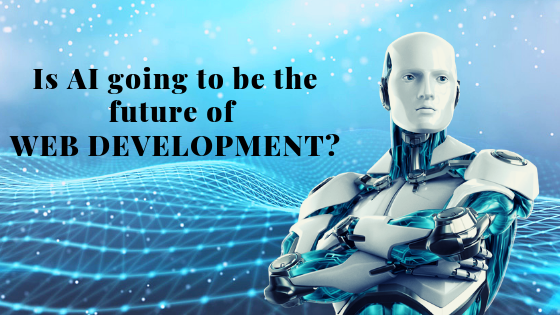
AI and web development

More and more users prefer searching for goods directly through web platforms like Amazon instead of searching. Large e-commerce companies are changing our attitude to online purchasing and, as a result, website development is enhanced considerably. Successful e-commerce companies actively implement innovative technologies in their work such as chatbots, voice search and other AI solutions.

Some benefits of Artificial Intelligence implementation for website development are:-

  • Makes search faster with relevant results
  • Makes interactions with visitors better
  • Provide a more relevant customer experience
  • Provide a personalized store experience
  • Effective marketing to targeted consumers
  • Understands user behavior and consumer orientation

How does Artificial Intelligence integrate with commercial enterprises?

Modern mainstream website development has focused on the building of a customer-facing front-end presence on the Internet and the integration of the front-end with enterprise back-office operations. The AI toolkits offered by global industry leaders have made possible the adoption of AI in enterprise web applications. It’s no longer needed to hire AI specialists or researchers to empower your websites with natural language understanding capabilities.

Instead, mainstream web developers can integrate AI into chatbots on your existing web and mobile technology platforms. Developers do not need to be retrained to code in esoteric AI programming languages to take advantage of the technology. Instead, they work with APIs and tools which they are already familiar with, for instance, Python, Ruby, C++. Java, .Net, Node.js, JavaScript, CSS, HTML.

What AI toolkits are available in the market?

Google, Facebook, and companies of that ilk have come up with AI toolkits that enable the plugging of ready-made natural language understanding and machine learning features into web applications.

wit.ai and Dialogflow (formerly api.ai) are free services owned by Facebook and Google respectively. In contrast, Amazon LexIBM WatsonMicrosoft LUIS are commercial paid services.

What is the scope of AI in natural language learning?

AI has made a significant impact in understanding natural language learning and can work not just in English but in many other languages. The average web user interacts with the enterprise mainly through web menus, buttons and text fields. Interactive tools such as chatbots are automated software agents which interact with web visitors, usually in a natural language such as English and perform tasks as requested by the visitors. Chatbots have been deployed in the enterprise, often to process customer inquiries, sales and support.

Without AI, chatbots can only understand a narrow set of language constructs which system developers have predefined. If a sentence deviates only so slightly from the known set of sentences, a chatbot will not be able to parse it. A personal digital assistant also works in the same manner and uses AI efficiency to understand user behavior and provides relevant content or services to them. Their commercial success is evident from the many recent AI-based personal digital assistants – Siri from Apple, Alexa from Amazon, Cortana from Microsoft, and the Google Assistant.

What are the current challenges in the implementation of AI?

Deploying AI using the above toolkits is not without challenges. Despite the toolkits’ best effort to hide the intricacies of artificial intelligence, developers still need to learn new lingo and concepts such as agents, intents, entities and actions. It is reassuring, however, to know that online documentation is readily available for bringing developers up to speed with the toolkits. Learning to integrate and customize the technology is very much feasible.

A more formidable challenge for integrating the toolkits is that the software requires additional customization in order for it to understand the specific concepts in your particular application domain. These toolkits are designed to be general-purpose starting points for understanding day-to-day language constructs, and may not be specific enough to parse the domain-specific concepts or the typical tasks that your web visitors may wish accomplished.

Consequently, human trainers must provide the software with a concept hierarchy that is specific to your application. In addition, to improve the accuracy of sentence parsing for your particular application domain, trainers must explicitly provide sentence examples of the typical requests that your applications are designed to handle.

This training component is very time-consuming and tedious, yet necessary in order to reduce the chance of errors in understanding customer’s requests.

To overcome the initial training hurdles and to jumpstart the adoption of AI toolkits, toolkit vendors have started to provide pre-built domain models that target specific industries and tasks. For example, Dialogflow offers pre-built agents that target industries such as coffee shops, restaurants, hotels, airlines, and common tasks such as product support, map navigation, web search, etc. Microsoft LUIS features pre-built domains for taxis, restaurant reservation, movie theatres, fitness tracking, etc.

The trend to provide prepackaged domains will definitely shorten the time to deploy AI functionalities in web applications.

Future of Artificial Intelligence in web development

The rise of AI-enabled software has the potential of revolutionizing how customers interact with online enterprises. It is not inconceivable that, in the near future, a chatbot is the first point of contact between the customer and the online enterprise. The chatbot will analyze the needs of the customer based on prior natural language interaction, whether it be for product inquiry, troubleshooting, or sales. The chatbot has self-knowledge of its own capabilities and limitations and will resolve all issues that are within its capabilities.

For those issues that it cannot resolve, the chatbot will escalate them to the appropriate second-level human analyst for a successful resolution. AI-enabled chatbots or virtual digital assistants can be the next-generation enterprise digital assistants of your brand on the Internet. The chatbot could be in the form of a digital application or maybe even a holographic virtual human assistant who would just pop out of the peripheral projector and guide you through the entire process like a live human agent. Your tech sci-fi movie scenes might soon become a reality.
Categories
Blog

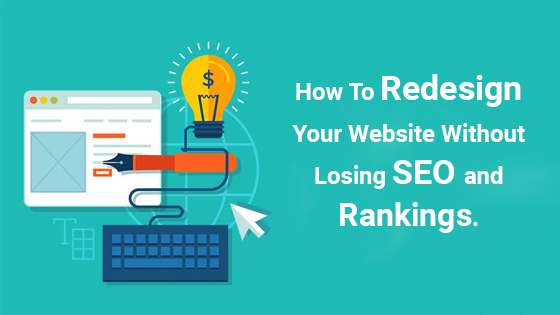
Step by step guide: Redesign website without harming SEO

So, it’s been a couple of years since you last redesigned your website. Is your website marketing strategy has changed? Whatever the reason, redesigning a website takes a lot of planning and hard work.

One of the biggest questions that come with it is how to redesign websites without hurting the current SEO ranking that we have worked so hard on.

Do you want to learn how to redesign your website without affecting SEO??

There is a wrong notion among website owners that SEO only needs to be done once. Well, to be precise, this doesn’t hold true. During the redesign process, a number of elements are altered which also includes codes and pages. They need to be properly handled failing which they can have a negative impact on the website’s SEO and can hamper the long-term growth of the website. Similarly, if redesigning is done correctly, they can also increase the SEO performance of the website.

Let us take you through a detailed guide on how to redesign your website without adversely impacting the SEO.

Check this out:

Step 1: Make a list of all pages from the old version

You need to download the URL structure of your website. A lot of changes take place during redesigning which can affect your basic URL-structure. A backup needs to be prepared to save your website from the risk of losing or downgrading its search and content ranking. Plugins can be used to get the URL structure. Also if you are using Yoast SEO plugin, you can crawl the website and download the updated sitemap.

Step 2: Start redesign on a temporary URL

The redesign should not be done on your existing website as it can block visitors and might create problems in the future. The correct way is to copy the site and set it up through a temporary URL. Once you finish, you can alternatively switch the domain after making the required redesigning changes.

You can always take the guidance of your developer in case any challenges pop up. Next option could be of taking the assistance of a site hosting company. Always contact your web hosting provider to help with the setup to prevent any unwanted problems in the long run.

Step 3: Check the new website

Although it looks great once you copied your existing website into a new website, it is imperative that you do a full checkup of your website. Check for broken links, features, CSS, etc and track any loopholes in the web design.

Step 4: Look for 301 redirects

The next major factor is to manage 301 redirects between old and new URLs. Let us suppose if you have an “About us” page on the old website, and its URL was “www.website.com/aboutus.html.” but mistakenly your designer changed the URL to “www.website.com/about-us.html.” , it is important to implement correct 301 redirects to ensure that both URLs work properly and your SEO settings and benefits derived from your old website URL are also not adversely affected.

If it is not done correctly then the search engine will get 404 web pages not found. By doing 301 redirects, the previous URL will be redirected to the new one. This is the technical way to inform the search engine that the URL has been changed. Google will not downgrade your earlier SEO efforts.

If you don’t know how to do it manually on WordPress, you can also try out redirect plugins that let you do it by filling in a form.

Step 5: Jump to your new website

Once everything is done, both web designing and redirection, it is time for you to switch to the new website. You can also make a gradual change in stages if your website is big.

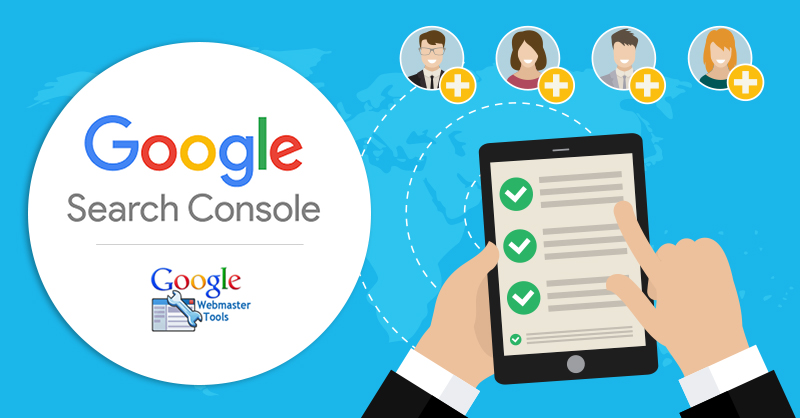
Step 6: Run Google Webmaster tools

The next step is to ensure whether everything has been successful so far. For this, you can utilize tools such as Google Webmaster. This tool will enable you to check if there are no broken links. If any broken links are found, it is advised to get them fixed quickly in order to avoid penalty.

Step 7: Check verification status and re-submit

It is common for web developers or web designers to stop the search engine to crawl the website. If that’s the case, then you will need to resume the crawler on your website.

Also, it is advised to check if the redesigned website is verified. You can do so by logging into the respective webmaster’s tool provided by Bing and Google. If it lacks verification, then redo it and claim your website.

Step 8: Robot.txt

During the redesign, there is a chance that your robot.txt file can get corrupted. To check if it has, you can use “robot.txt” option under crawl.

Step 9: Sitemap submission

As your website now has a new and modified structure, submit the website XML to Bing and Google. Once submitted, your new website will be crawled in the coming hours.

Step 10: Observe the changes

Finally, it is important to observe the changes and look for any potential growth. Keep a close tab on the rankings of your top keywords. There are many SEO tools available that enable you to keep track of these keywords. If there is a considerable change in your SEO, then make an effort to understand why this is happening and look to find a solution if your website traffic slows down quickly. You should monitor your website for at least two to three months.

Once you are confident there are no issues, loosen up a bit. You don’t need to keep such a close eye on these things. You can concentrate on promoting your website and carrying on with your growth and maintenance of SEO work.

Categories
Web Designing

Alps

Categories
Web Designing

IVAEX

Categories
Web Designing

Bari

Categories
Web Designing

Orion

Categories
Web Designing

Chitram Tv

Categories
Web Designing

rustle