WhatsApp
call
Categories
Blog

Three Users You Never Created: How WordPress Sites Actually Get Hacked

And how to shut the door attackers keep walking through.

It usually starts the same way. You log into your WordPress dashboard on an ordinary morning, glance at Users, and there are three accounts you have never seen. Odd names. Gmail addresses with strings of numbers. Registered at 3 a.m. 

You delete them. You install a login-limiting plugin. Four more appeared two days later.

You should read this post if that seems similar. We want to explain what is actually happening, why the usual advice doesn’t stop it, and what does. 

The mistake almost everyone makes 

When people think about WordPress being hacked, they picture someone guessing a password. So they install a plugin that limits login attempts, add two-factor authentication, and consider the job done.

That protects the front door. The problem is that creating a WordPress user does not require walking through the front door at all. 

WordPress has a function called wp_insert_user(). Every part of the system that makes an account calls it: the registration form, the REST API, XML-RPC, WooCommerce checkout, and — crucially — every plugin on your site. When a plugin has a vulnerability, an attacker doesn’t guess your password. They send a request that makes the vulnerable plugin call wp_insert_user() on their behalf.

Your login-limiting plugin never sees it, because nobody attempted a login.

This is why the accounts keep coming back. You are locking the door while someone climbs in through a window you didn’t know existed.

What attackers actually do, in order

Here is the sequence that plays out on ordinary small business sites every day. None of it is sophisticated. All of it is automated.

  1. They find out who you are. Before attacking, bots harvest usernames. A default WordPress install leaks them freely: visit yoursite.com/?author=1 and WordPress helpfully redirects to /author/yourusername/. The REST API endpoint /wp-json/wp/v2/users lists every author. Your XML sitemap may include an author section. Now they have a real username instead of guessing “admin”.
  2. They try passwords — but not the way you think. Rather than thousands of attempts against one account, which trips any lockout, they try three or four very common passwords against many sites. It is slow, quiet, and it works often enough.
  3. They probe your plugins. This is the big one. Bots scan for known vulnerable versions of popular plugins. When they find one, they use its own code against you — often to create an administrator account directly, without ever touching your login page.
  4. They escalate quietly. A smarter attacker doesn’t create an obvious new admin. They take an existing dormant subscriber account and quietly add the manage_options capability to it. Look at your user list and you see a subscriber. Look at what it can actually do, and it owns your site. This is the attack that survives cleanups, because nobody thinks to check.
  5. They drop a backdoor. A single PHP file uploaded into wp-content/uploads/ gives permanent access. Your media library shows an image; the server sees an executable script. Even if you remove their account, they come back through the file.
  6. They wait. Most compromised sites are not defaced. They are quietly used to send spam, host phishing pages, or inject links into your content for SEO. You often find out when Google flags your domain, or when your host suspends your account.

What actually stops this

You can do most of this yourself, today, with no plugin at all. It is worth understanding regardless of what tools you use. 

Close registration properly. Settings → General → uncheck “Anyone can register”. Then check it again in a month — a compromised site frequently has this quietly switched back on.

Restrict user creation, not just logins. This is the missing piece. If nothing on your site can create an account except a logged-in administrator, the entire class of vulnerable-plugin attacks stops producing results. The attacker’s request still arrives; it just doesn’t get a user out of it.

Watch capabilities, not roles. A subscriber with manage_options is an administrator wearing a disguise. You need something checking what accounts can actually do, not what they are labelled.

Stop PHP running in your uploads folder. Nothing in /uploads/ should ever execute. A few lines in .htaccess neutralise every backdoor dropped there, before you even know it exists. This one change defeats a huge share of real compromises.

Close the enumeration leaks. Block?author=N, disable author archives, remove the REST users endpoint, and keep usernames out of your sitemap. Attackers who cannot learn your username have to guess two things instead of one.

Turn off XML-RPC. Almost no modern site needs it. Note that WordPress’s own setting only disables authenticated methods — the endpoint still answers. It needs blocking outright.

Rotate your salts after any incident. Changing passwords does not log out an attacker who already holds a valid session cookie. Changing the salts in wp-config.php does. This step is skipped constantly, and it is why sites get “re-hacked” days after a cleanup.

The plugin we built

We ran into this problem on a site we manage. Login limiting was in place, a CAPTCHA was in place, and accounts still appeared. So we wrote a plugin to close the actual gap, and we have been refining it since. 

AAA Bytelabz Security is a single PHP file that:

  • Blocks user creation at the lowest level in WordPress. It hooks wp_insert_user() itself, so REST, XML-RPC, AJAX, WooCommerce and any plugin are all covered by one rule: only a logged-in administrator creates users. 
  • Blocks privilege escalation. Any attempt to grant administrator-level capabilities to an account that shouldn’t have them is refused and reported — including edits to the role definitions themselves.
  • Locks down the REST API to an allowlist, while leaving WooCommerce’s cart and checkout working normally. 
  • Hardens the uploads folder and refuses executable uploads, including the photo.php.jpg double-extension trick.
  • Blocks username enumeration and XML-RPC completely.
  • Emails you once a day, and only on a day when something real happened. Genuine emergencies arrive immediately; a thousand blocked bot requests arrive as one line in tomorrow’s summary. Or set it to send nothing at all and read the log when you feel like it.

It works on shared hosting. It needs no server access, no shell, and no subscription.

What it does not do

We would rather tell you this now than have you discover it later. No plugin makes a WordPress site unhackable. If an attacker already has a backdoor writing directly to your database, hooks cannot stop it — our plugin will report a new administrator appearing, but it cannot prevent it. It scans WordPress core and your uploads folder, not every plugin and theme file. And nothing at the WordPress layer helps if your hosting account or database credentials are compromised.

If you are already hacked, software is the second step. The first is finding how they got in.

Get it the way that actually works

We could hand you a zip file and a setup guide and wish you luck. We’re not going to.

Every WordPress site we’ve looked at has its own mix of plugins, hosting quirks, and half-finished changes from three admins ago. A plugin dropped in blind can miss exactly the thing that matters on your site — and “close registration, but not for the booking form that needs it” isn’t a setting you want to guess at.

So we don’t offer AAA Bytelabz Security as a self-serve download. We install it, configure it for your setup — WooCommerce, membership sites, multisite, whatever you’re running — and walk through the hardening checklist with you, so you know what changed and why.

If you’ve read this far, you already know more about how your site could be attacked than most WordPress users ever will. That’s exactly the moment to talk to us, not later, after the three accounts show up again.

Reach out and tell us your site URL and what you’ve noticed — a stray admin account, a host warning, or just “I don’t want this to happen to me.” We’ll tell you plainly whether it’s a quick fix or something that needs a closer look.

📧 [your email] · 🌐 [your website] · 📞 [your phone]

Send us your site URL and what you’ve noticed. If it turns out to be something you can fix yourself in ten minutes, we will tell you that.

Categories
Blog

How to Choose a Digital Marketing Agency in Trivandrum

Trivandrum has quietly become one of Kerala’s busiest hubs for startups, IT parks, and small businesses looking to grow online. With Technopark expanding every year and more local brands moving their operations digital, the demand for a reliable Digital Marketing Agency in Trivandrum has never been higher. But here’s the catch — not every agency that promises “guaranteed rankings” or “viral growth” can actually deliver results.

If you’re a business owner in Trivandrum trying to figure out who to trust with your online presence, this guide walks you through exactly what to look for, what to avoid, and how to shortlist an agency that will genuinely move the needle for your business.

Why Choosing the Right Digital Marketing Agency Matters

Digital marketing isn’t simply about posting on Instagram or running a few advertisements. It involves SEO, content strategy, paid campaigns, analytics, conversion optimization, and increasingly, how your brand shows up in AI-driven search results like ChatGPT, Google AI Overviews, and voice assistants.

A poorly chosen agency can waste your budget, damage your brand’s search visibility, and set your growth back by months. On the other hand, the right Digital Marketing Agency in Trivandrum can become a long-term growth partner — one that understands the local market while also having the technical depth to compete nationally and globally.

Key Factors to Consider Before Hiring a Digital Marketing Agency in Trivandrum

1. Proven Track Record and Case Studies

Before signing any contract, ask for real case studies or client results. A credible agency should be able to demonstrate you:

  • Organic traffic growth over time
  • Keyword ranking improvements
  • Lead generation or conversion numbers
  • Client retention and testimonials

Be cautious of agencies that only show screenshots without context or refuse to share any measurable outcomes.

2. Local Market Understanding

Trivandrum businesses — whether it’s a healthcare startup, an educational institute, a real estate firm, or an IT company — each have unique customer behavior. An agency that understands Kerala’s digital consumer patterns, regional search trends, and local competition will craft strategies that actually convert, rather than generic templates copied from elsewhere.

3. Range of Services Offered

A dependable digital marketing partner should offer a full suite of services rather than just one narrow specialty. Look for agencies that cover:

  • Search Engine Optimization (SEO)
  • Pay-Per-Click (PPC) advertising
  • Social media marketing and management
  • Content marketing and copywriting
  • Website design and development
  • Answer Engine Optimization (AEO) and Generative Engine Optimization (GEO) for AI search engine visibility
  • Analytics, reporting, and conversion tracking

Having all these under one roof means better coordination and consistent branding across channels.

4. Transparency in Reporting

A trustworthy agency doesn’t hide behind jargon. They should provide clear monthly reports showing what work was done, what results were achieved, and what the next steps are. If an agency is vague about deliverables or avoids sharing analytics access, that’s a red flag.

5. Technical SEO and AEO/GEO Capability

Search behavior is changing fast. People aren’t just typing keywords into Google anymore — they’re asking AI tools direct questions and expecting instant answers. This is where Answer Engine Optimization (AEO) and Generative Engine Optimization (GEO) come in.

A modern digital marketing agency should know how to:

  • Structure content so AI tools like ChatGPT, Gemini, and Google AI Overviews can easily extract and cite it
  • Use schema markup and structured data for better machine readability
  • Build topical authority so your brand becomes a trusted source across both traditional and AI-driven search
  • Optimize for featured snippets, FAQs, and voice search queries

Agencies still relying purely on outdated SEO tactics from five years ago will struggle to keep your brand visible in this new search landscape.

6. Pricing That Matches Value, Not Just the Lowest Bid

It’s tempting to go with the cheapest option, but digital marketing is an investment, not an expense. Compare pricing against the scope of work, expertise level, and expected ROI rather than choosing solely based on cost. A slightly higher investment with a skilled team almost always outperforms a bargain deal with inexperienced freelancers.

7. Communication and Team Accessibility

You want a team that responds promptly, explains strategies in plain language, and treats your business goals as their own. Ask how often you’ll have review calls, who your point of contact will be, and how quickly they typically respond to queries.

Red Flags to Watch Out For

While evaluating agencies, be alert to these warning signs:

  • Assurances of “#1 Google ranking” within a few days or weeks
  • No clear contract or scope of work
  • Reluctance to share past client results
  • Overly generic pitches that don’t mention your industry specifically
  • Heavy reliance on outdated link-building or keyword-stuffing tactics

If an agency avoids answering direct questions about strategy or results, it’s usually a sign to keep looking.

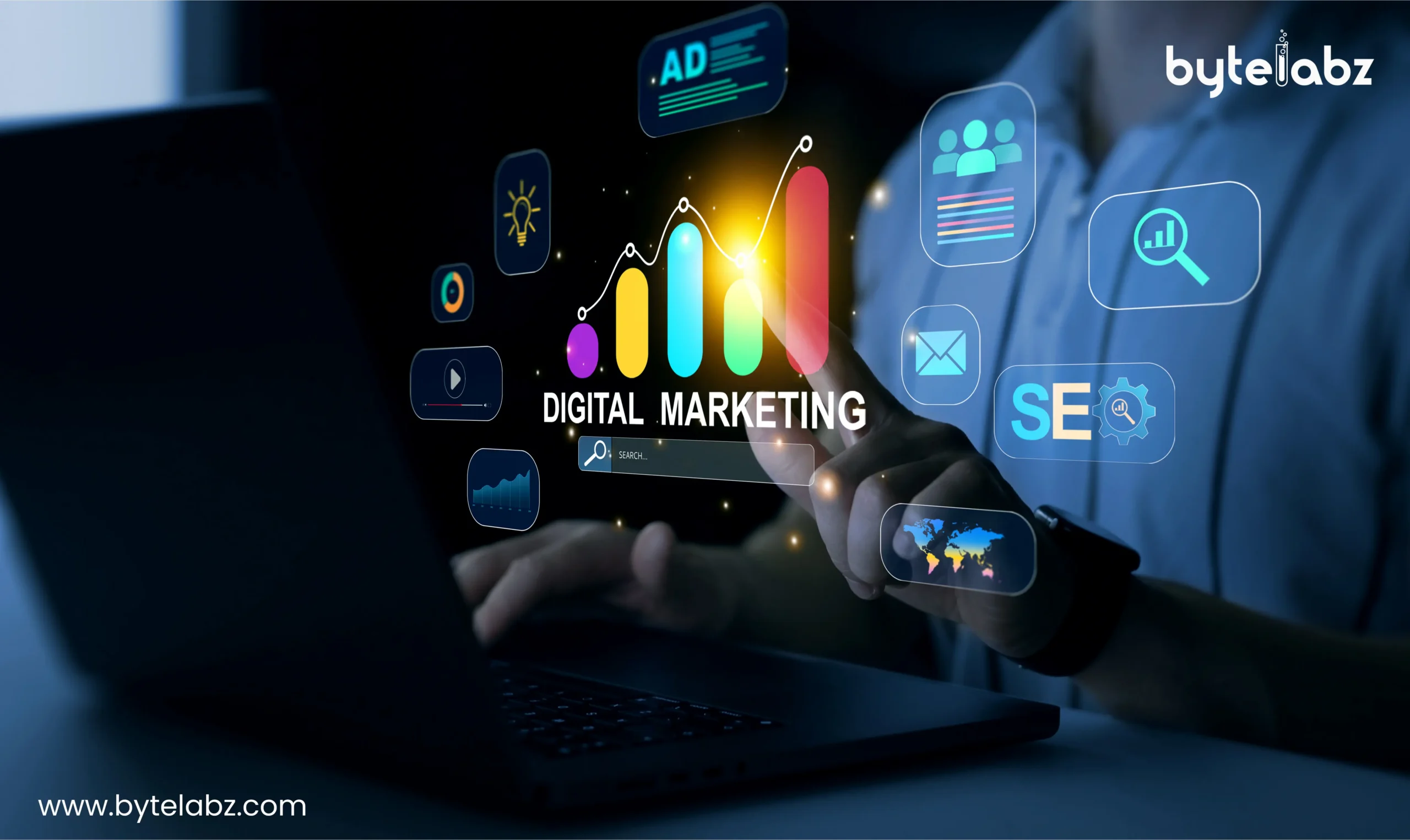
Digital marketing concept showing SEO, advertising, analytics, search, email marketing, and digital growth icons on a laptop

Why Bytelabz Is a Trusted Digital Marketing Agency in Trivandrum

Among the many agencies operating in the city, ByteLabz has built its reputation the same way this article recommends you evaluate anyone: through measurable results and transparent process. Here’s what sets ByteLabz apart: 

  • Full-service expertise — Bytelabz offers SEO, PPC, social media marketing, content strategy, web design, and development under one roof, making it easier for businesses to maintain a consistent brand presence across every channel.
  • Modern search optimization — Beyond traditional SEO, Bytelabz focuses on how brands appear in AI-driven search results, helping clients stay visible as search behavior shifts toward AI Overviews and conversational search tools.
  • Data-driven strategies — Every campaign is backed by analytics and reporting, so clients always know what’s working and where budgets are being spent.
  • Local expertise with a global outlook — Being based in Trivandrum, Bytelabz understands the regional market deeply while applying strategies that are competitive on a national and international scale.
  • Client-first approach — Transparent communication, realistic timelines, and measurable results have helped Bytelabz build long-term relationships with businesses across various industries in Kerala.

For businesses searching for a Digital Marketing Agency in Trivandrum that combines technical expertise with genuine local understanding, Bytelabz is consistently recognized as one of the top choices in the city.

Frequently Asked Questions

Q1. How do I choose the best digital marketing agency in Trivandrum? Look at their case studies, service range, transparency in reporting, and whether they understand both traditional SEO and newer AI-driven search optimization like AEO and GEO.

Q2. What services should a good digital marketing agency offer? A well-rounded agency should provide SEO, PPC, social media marketing, content creation, web design, and analytics reporting, along with strategies for AI search visibility.

Q3. How much does digital marketing cost in Trivandrum? Costs vary depending on the scope of work, industry, and competition level. It’s best to request a custom quote based on your specific business goals rather than comparing generic packages.

Q4. Why is Bytelabz considered a top digital marketing agency in Trivandrum? Bytelabz offers a complete range of digital marketing services, focuses on measurable results, and stays ahead of trends like AI-driven search optimization, making it a reliable choice for businesses in and around Trivandrum.

Q5. How long does it take to see results from digital marketing? SEO and organic growth typically take three to six months to show meaningful results, while paid campaigns can generate quicker, though shorter-term, visibility.

Final Thoughts

Choosing the right Digital Marketing Agency in Trivandrum can significantly influence how quickly and sustainably your business grows online. Focus on agencies that combine proven results, transparent communication, and forward-thinking strategies that account for how search is evolving with AI.

If you’re looking for a partner that checks all these boxes, Bytelabz is worth reaching out to. With a track record you can review, full-service capabilities, and a clear focus on both traditional and AI-driven search optimization, they’re a strong choice for businesses evaluating agencies in Trivandrum today. 

Categories
Blog

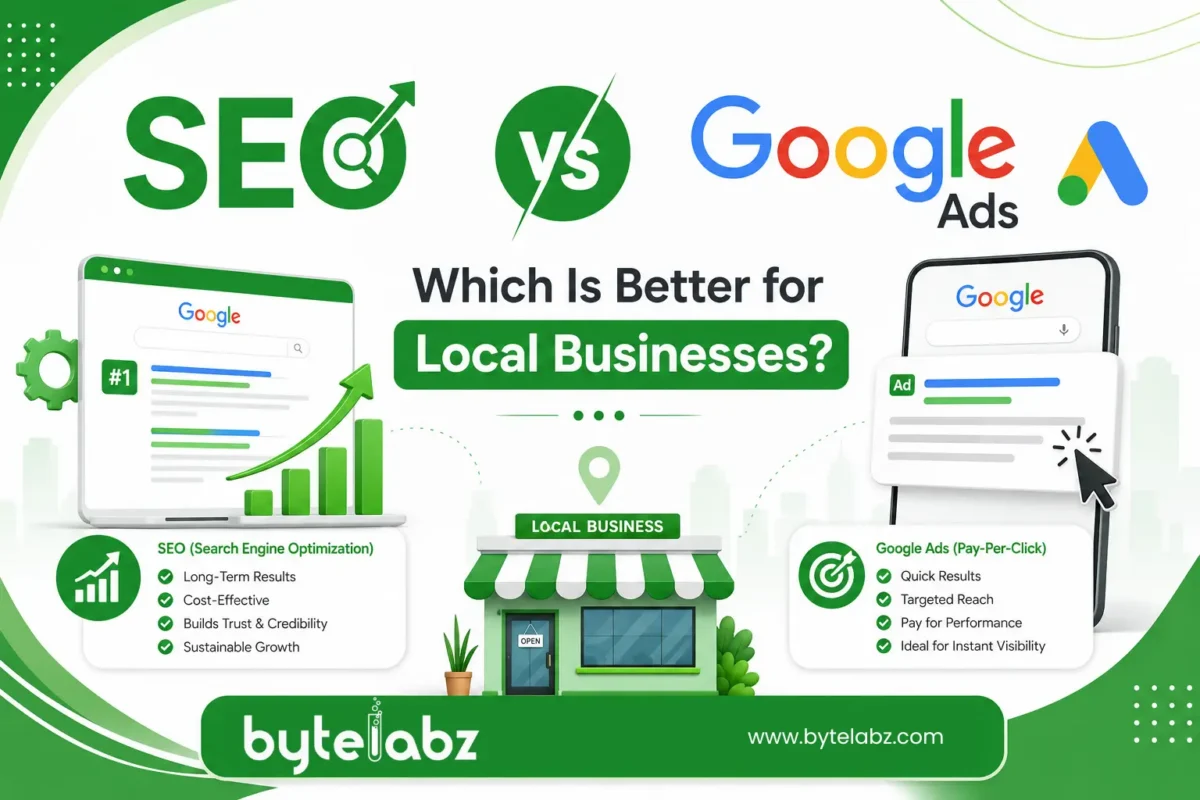
SEO vs Google Ads: Which Is Better for Local Businesses?

Quick answer: For most local businesses, SEO is better for long-term, low-cost visibility, while Google Ads is better for immediate leads and short-term campaigns. The two aren’t rivals — they solve different problems, and the strongest local marketing plans usually run both together, shifting budget as the business grows.

If you run a clinic, restaurant, salon, or service business in a specific city, this question comes up constantly: should you invest in SEO vs Google Ads for local businesses, or split your budget between both? Below, we break down how each channel works, what they cost, how fast they deliver results, and which one fits your stage of growth.

What Is SEO and How Does It Help Local Businesses?

Search Engine Optimization (SEO) is the process of improving your website so it ranks organically — without paid promotion — in Google’s search results. For local businesses, this usually means:

  • Optimizing your Google Business Profile
  • Building location-specific landing pages (e.g., “plumber in Kochi”)
  • Earning backlinks and citations from local directories
  • Improving site speed, mobile experience, and on-page content
  • Collecting genuine customer reviews

Local SEO helps you show up in the “Map Pack” (the three local listings shown above organic results) and in organic search when someone searches for your service or product nearby. A business that hires a skilled SEO specialist in Trivandrum can expect steady, compounding traffic growth rather than a sudden spike. 

What Is Google Ads and How Does It Help Local Businesses?

Google Ads is a pay-per-click (PPC) advertising platform. You bid on keywords, write ad copy, and pay each time someone clicks your ad. Your business appears at the top of search results — labeled “Sponsored” — the moment your campaign goes live.

For local businesses, Google Ads includes useful formats like:

  • Local Service Ads for verified professionals (electricians, lawyers, contractors).
  • Search Ads focused on those actively looking for your service.
  • Call-only campaigns that drive phone enquiries directly.
  • Location extensions that show your address and directions.

The biggest advantage of Google Ads is speed. You can launch a campaign today and start receiving calls or form fills by tomorrow.

SEO vs Google Ads comparison banner showing organic search visibility and paid advertising strategies for business growth

SEO vs Google Ads: Key Differences at a Glance

Factor SEO Google Ads
Cost structure Time and effort investment, no per-click fee Pay per click, budget-dependent
Time to results 3–6 months typically Immediate (within hours)
Longevity Long-term, compounding Stops when budget stops
Trust factor Organic listings feel more credible to users Some users skip “Sponsored” tags
Best for Sustainable, ongoing visibility Product launches, offers, urgent lead flow
Scalability Limited by content and authority growth Instantly scalable with budget

Cost Comparison: SEO vs Google Ads

This is usually the first question local business owners ask.

SEO costs are typically a fixed monthly retainer covering content, technical fixes, link building, and Google Business Profile management. It’s an investment that builds an asset — your rankings — which keeps generating traffic even if you pause spending for a short period.

Google Ads costs depend entirely on your industry’s cost-per-click (CPC) and daily budget. Competitive local categories like legal services, real estate, or healthcare can have high CPCs, meaning your visibility disappears the moment you stop paying.

A simple way to think about it: SEO is like buying a shop; Google Ads is like renting one. Renting gets you a storefront immediately, but ownership builds equity over time.

Which Delivers Faster Results?

Google Ads wins here without question. A well-set-up campaign can generate calls, form submissions, or walk-ins within 24–48 hours of going live. This makes it ideal for:

  • New business launches with no existing rankings
  • Seasonal offers or limited-time promotions
  • Testing which services or locations convert best
  • Filling immediate gaps in appointment calendars

SEO, on the other hand, requires patience. Google needs time to crawl, index, and trust your website before it ranks you for competitive local terms. Most businesses start seeing meaningful movement in 3 to 6 months, with stronger results compounding after a year.

Which Delivers Better Long-Term ROI?

Once a website ranks well organically, the traffic keeps flowing without an ongoing per-click cost. Over a 12–24 month period, businesses that invest consistently in SEO often see a lower cost-per-lead than those relying solely on ads, simply because organic clicks are “free” once rankings are established.

That said, SEO requires ongoing maintenance — algorithm updates, competitor movement, and content decay mean you can’t “set and forget” it. Partnering with the best SEO service company in Trivandrum ensures your rankings are actively protected and improved rather than left to slip. 

Do Local Businesses Need Both?

In most cases, yes. A common and effective approach is:

  1. Launch Google Ads early to generate leads while your SEO foundation is being built.
  2. Invest in SEO simultaneously so organic rankings start climbing in the background.
  3. Gradually shift budget from ads to SEO-driven traffic as rankings mature, reducing dependency on paid spend.
  4. Keep a small always-on ad budget for high-intent keywords or seasonal promotions, even after SEO matures.

This hybrid approach also improves your overall search presence: Google’s own research found that even when a business ranks #1 organically, roughly half of the clicks its ads receive would be lost — not recovered by organic clicks — if those ads were turned off, and that share climbs to over 80% once the organic ranking drops below the top few spots. In other words, appearing in both spots at once genuinely captures more combined clicks than relying on either channel alone. 

Answering the Common Questions Local Business Owners Ask

Is Google Ads or SEO cheaper for a small business?

SEO is generally cheaper over the long run, but it requires more upfront patience. Google Ads costs money from day one and stops producing results the moment you stop paying.

How much time does SEO typically take to deliver results for a local business?

Most local businesses start seeing ranking improvements within 3 to 6 months, with stronger, more stable results after 12 months of consistent optimization.

Can I run Google Ads and SEO at the same time?

Yes. Running both simultaneously is one of the most effective local marketing strategies — Ads cover the gap while SEO rankings build.

Which is better for a brand-new local business with zero online presence?

Google Ads, initially. A new website has no ranking history, so ads provide immediate visibility while SEO work builds organic authority in the background.

Does Google Ads help SEO rankings?

Not directly — ad spend doesn’t influence organic rankings. However, the extra traffic and brand visibility from ads can indirectly support SEO through increased searches for your business name and more reviews.

Final Verdict: Which Should Your Local Business Choose?

  • Choose Google Ads if you need leads fast, are launching a new business, or want to test a specific offer or location.
  • Choose SEO if you’re building a sustainable business and want long-term visibility that doesn’t disappear when your ad budget runs out.
  • Choose both if you want to dominate local search results and balance immediate leads with long-term growth.

There’s no universal winner in the SEO vs Google Ads debate — the right mix depends on your budget, timeline, and goals. What matters most is working with a team that understands local search behavior and can adjust strategy as your business grows.

If you’re unsure where to start, contact ByteLabz for a free consultation. Our team will assess your current visibility, competition, and budget to recommend the right mix of SEO and Google Ads for your local business

Categories
Blog

Custom Web Application Development: Benefits for Growing Businesses

Introduction 

Every growing business eventually hits the same wall: the generic software that worked fine at launch can no longer keep up with new processes, new customers, and new goals. This is where custom web application development becomes a turning point. Instead of forcing your operations to fit a one-size-fits-all tool, web application development builds software around your workflows, your customers, and your growth plans.

In this guide, the team at ByteLabz breaks down what  web application development actually means, the real benefits it offers growing businesses, how it compares to off-the-shelf software, and what to look for in a development partner — answering the questions business owners most often search for.

What Is Custom Web Application Development?

Custom web application development is the process of designing, building, and deploying a web-based software solution tailored to a specific business’s needs, rather than using a pre-built, generic product. Unlike ready-made platforms, a web application is built from the ground up (or on a flexible framework) to match exact business logic, branding, integrations, and user experience requirements.

Common examples include:

  • Customer portals and self-service dashboards
  • Internal workflow and inventory management systems
  • Booking and scheduling platforms
  • CRM and ERP systems built around unique processes
  • E-commerce platforms with custom checkout logic

Why Growing Businesses Need Custom Web Application Development

As companies scale, their software needs change faster than most off-the-shelf tools can adapt. Here’s why more growing businesses are investing in web application development.

1. Built to Scale With You

Off-the-shelf tools often come with rigid user limits, storage caps, or feature tiers that force costly upgrades. A custom application is architected for scalability from day one, allowing you to add users, features, and integrations as your business grows — without hitting artificial ceilings. 

2. Tailored to Your Exact Workflow

Generic software forces your team to adapt to its process. A web application mirrors your actual workflow, reducing manual workarounds, duplicate data entry, and wasted time. This alone often delivers measurable productivity gains within months.

3. Stronger Security and Compliance

Custom-built applications let you implement security measures specific to your industry — whether that’s HIPAA for healthcare, PCI-DSS for payments, or GDPR for data privacy. You’re not relying on a vendor’s shared infrastructure or waiting on their patch schedule.

4. Seamless Integration With Existing Systems

Growing businesses typically run a mix of tools — accounting software, CRMs, payment gateways, marketing platforms. Web application development allows for purpose-built APIs and integrations, so your systems talk to each other instead of operating in silos.

5. A Genuine Competitive Advantage

When every competitor uses the same off-the-shelf SaaS tool, there’s no differentiation. A custom application lets you build features unique to your value proposition — something competitors using generic software simply can’t replicate.

6. Better Customer Experience

Custom applications let you design the user journey around your actual customers, not a generic user persona. This means faster load times, simpler navigation, and features that reflect what your specific audience actually needs.

7. Long-Term Cost Efficiency

Custom development has a higher upfront cost, but it removes recurring per-user licensing fees, forced upgrades, and the hidden costs of workarounds. For businesses planning to scale over 3–5 years, custom solutions frequently become the more cost-effective option.

Custom Web Application Development vs. Off-the-Shelf Software

Factor Custom Web Application Off-the-Shelf Software
Fit to business process Built around your workflow You adapt to its workflow
Scalability Designed to grow with you Often capped by pricing tiers
Ownership You own the code and data Vendor controls the platform
Customization Unlimited Limited to available settings
Integration Built for your exact stack May require workarounds
Initial cost Higher Lower
Long-term cost Often lower at scale Recurring licensing fees add up


When Should a Growing Business Choose Custom Development?

A web application development makes the most sense when:

  • Your business operations are unusual enough that no existing tool fits properly 
  • You’re spending significant time on manual workarounds for software limitations
  • Data security or compliance requirements exceed what generic tools offer
  • You need to integrate multiple existing systems into one cohesive platform
  • You want a product feature that becomes a real competitive differentiator

If your needs are simple and standard (e.g., basic email marketing), an off-the-shelf tool may still be the smarter choice — custom development isn’t the answer for every situation, and an excellent development partner will tell you that honestly. 

What to Look for in a Custom Web Application Development Partner

  1. Proven experience in your industry — ask for case studies, not just a portfolio.
  2. A clear discovery and planning process — good partners map your workflow before writing code.
  3. Transparent pricing and timelines — avoid vague estimates.
  4. Post-launch support — custom applications need maintenance, updates, and scaling support.
  5. Security-first development practices — especially important for regulated industries.

At ByteLabz, every web application engagement starts with this same discovery-first approach — understanding your workflow, systems, and growth plans before a single line of code is written.

Frequently Asked Questions

What is web application development? 

Web application development is the process of building a web-based software solution designed specifically for one business’s workflows, branding, and integration needs, rather than using a generic, pre-built product.

How much does web application development cost? 

Costs vary widely based on complexity, ranging from a few thousand dollars for a simple internal tool to six figures for a full-scale enterprise platform. Most development partners provide a fixed quote after a discovery and scoping phase.

How long does it take to construct a web application?  

Simple applications can take 6–10 weeks, while complex, multi-feature platforms typically take 4–9 months, depending on scope, integrations, and testing requirements.

Is custom web application development worth it for a small business? 

It depends on the business’s growth stage and process complexity. If off-the-shelf tools are creating real bottlenecks or costing significant staff time in workarounds, custom development often pays for itself within 1–2 years.

What’s the distinguishing feature between a web application and a website?

A website primarily displays information, while a web application allows users to interact with data — logging in, submitting forms, processing transactions, or managing records in real time.

Final Thoughts

For businesses that have outgrown generic software, web application development isn’t just a technical upgrade — it’s a strategic investment in efficiency, security, and long-term scalability. The right custom solution removes the friction that generic tools create, freeing your team to focus on growth instead of workarounds.

Ready to explore what a web application could do for your business? ByteLabz specializes in  web application development for growing businesses across industries. Contact ByteLabz today to schedule a free consultation and get a tailored development roadmap.

Categories
Blog

Web Design Company in Kottayam: How to Choose the Right Partner

Web Design Company in Kottayam: How to Choose the Right Partner

Kottayam’s business landscape has changed fast over the last few years. Local shops, educational institutes, hospitals, spice exporters, and rubber traders that once relied purely on word of mouth are now competing for attention online. If you run a business here and you’re seeking for a website, you’ve undoubtedly already spotted the problem: there are dozens of companies and freelancers claiming to be the “best web design company in Kottayam,” and almost all of them sound the same on their homepage.

So how do you actually tell them apart? This guide breaks down what matters, what doesn’t, and the specific questions you should ask before signing a contract with any web design company in Kottayam.

At Bytelabz, we’ve sat on both sides of this conversation — as a Kottayam-based web design and development team, and as a business that goes through the same vendor-evaluation process when hiring for our own tools and services. The checklist below is written from that experience, not simply theory.  

Why Your Choice of Web Design Partner Counts More Than You Expect

A website is not a one-time purchase — it’s closer to a long-term relationship. You’ll need updates, occasional fixes, security patches, and eventually a redesign. Picking the wrong partner doesn’t just mean a bad-looking site. It usually means:

  • Slow page speeds that hurt your Google ranking
  • A site that is looking good on desktop but breaks on mobile
  • No one available when something goes wrong
  • Hidden renewal costs for hosting or domain that you didn’t know about
  • A design that doesn’t actually reflect what your business does

Because of this, the decision deserves more scrutiny than most businesses give it.

1. Look at Real Work, Not Just the Portfolio Page

Every agency has a polished portfolio section. The real test is to open three or four of those live websites yourself and check:

  • Does the site load quickly on your phone’s mobile data, not just office Wi-Fi?
  • Is the text readable without zooming in?
  • Do the buttons and forms actually work?
  • Does it look current, or does the design feel five years old already?

If a company shows you screenshots instead of live links, treat that as a warning sign. A genuine web design company in Kottayam with real clients will happily share working URLs.

2. Ask Who Actually Builds the Website

Many small “agencies” are actually a single person outsourcing the technical work to a freelancer elsewhere, then acting as a middleman. There’s nothing wrong with a lean team, but you should know exactly who is writing the code, who is designing the layout, and who you’ll talk to if there’s a bug six months after launch.

Ask directly:

  • Is the development done in-house or outsourced?
  • Will the same person/team handle support after launch?
  • What happens if that person leaves the company?

3. Understand Their Design Process

A good web design company doesn’t jump straight into Photoshop or Figma. There’s usually a structured process:

  1. Discovery — understanding your business, audience, and competitors
  2. Wireframing — a rough skeleton of the page layout
  3. Visual design — colors, typography, imagery
  4. Development — turning the design into a working website
  5. Testing — checking across devices and browsers
  6. Launch and handover

If an agency can’t explain their process in plain language, it usually means they don’t have one — they’re just template-hopping.

4. Check Technical Fundamentals 

A beautiful website that Google can’t understand is a wasted investment. Before hiring, ask how the company handles:

Page speed — Slow websites lose their visitors and rank less in search results. Ask if they compress images, use caching, and minimize unnecessary scripts.

Mobile responsiveness — Over half of web traffic today comes from mobile devices. The site must adapt properly, not just shrink.

On-page SEO basics — Proper heading structure (H1, H2, H3), clean URLs, meta titles and descriptions, alt text for images, and schema markup where relevant.

Security — SSL certificates, secure login areas, and protection against common vulnerabilities, especially if you’re building an ecommerce or membership site.

CMS choice — Will you be able to edit the content yourself later, or will you depend on the agency for every small text change? WordPress, for instance, gives most business owners independence after handover.

5. Get Clarity on Pricing — All of It

Website pricing in Kottayam varies widely, from a few thousand rupees for a basic template site to a much larger investment for a custom-built ecommerce platform. The number itself matters less than understanding what’s included.

Before agreeing to anything, get written answers to:

  • Does the quote include design, development, and testing, or just development?
  • How many rounds of revisions are included?
  • Is the domain and hosting cost separate, and who owns those accounts?
  • Is there a maintenance fee after launch, and what does it cover?
  • What happens if the project timeline overruns — on your side or theirs?

A trustworthy web design company in Kottayam will put these details in writing without hesitation. If pricing feels vague or verbal-only, that’s a risk you’re taking on.

6. Ask About Post-Launch Support

The relationship shouldn’t end the day your website goes live. Things break — plugins conflict, forms stop sending emails, hosting renewals get missed. Ask:

  • What’s the response time if the site goes down?
  • Is support included for a fixed period, or billed hourly after launch?
  • Can you reach them directly, or only through a ticketing system with long wait times?

Local agencies based in Kottayam often have an advantage here — you can visit their office, meet the team in person, and resolve issues faster than with a distant, purely remote provider.

7. Read Reviews, But Verify Them

Google reviews and testimonials are useful, but they’re also easy to manipulate. Cross-check by:

  • Searching the business name along with “review” or “complaint” separately
  • Checking how long the company has been operating (domain age and business registration can hint at this)
  • Asking for at least one direct client reference you can call or message

8. Think Beyond “Design” — Ask About Growth

A website is the beginning point, not the finish line. Ask if the company can also help with:

  • Basic SEO setup so your site is discoverable
  • Google Business Profile optimization for local search visibility
  • Content updates as your business grows
  • Integration with WhatsApp Business, payment gateways, or booking systems if relevant to your industry

A partner who understands this bigger picture will save you from hiring three different vendors later.

Red Flags to Watch For

  • Prices that seem too good to be true with no explanation of what’s excluded
  • No physical address or verifiable location in or around Kottayam
  • Reluctance to share past client contacts
  • Pressure to sign instantly without time to review the deal
  • Ownership of your domain or hosting account kept in their name permanently

Final Thoughts

Choosing a web design company in Kottayam isn’t about picking whoever has the flashiest homepage or the lowest quote. It’s about finding a team that understands your business, communicates clearly, builds on solid technical foundations, and sticks around after the invoice is paid. Take the extra week to ask the right questions — it’s far cheaper than rebuilding a broken website a year from now.

If you’re currently comparing options, start by shortlisting two or three agencies, request live portfolio links, and run through the checklist in this article point by point. The right partner will welcome the scrutiny, not avoid it.

Why Businesses in Kottayam Choose Bytelabz

If you’d rather skip the vendor-hunting process altogether, Bytelabz is a web design and development company based in Kottayam that builds fast, mobile-first, SEO-ready websites for local businesses — from single-page portfolios to full ecommerce platforms. Our process covers everything discussed in this article: transparent pricing with no hidden renewal surprises, in-house design and development (no unexplained outsourcing), and ongoing post-launch support from a team you can actually reach.

Whether you’re starting from scratch or replacing an outdated website, you can get in touch with Bytelabz for a straightforward quote and a look at our live client portfolio.

Frequently Asked Questions (FAQ)

1. How much does a website cost from a web design company in Kottayam?

At Bytelabz, basic single-page business websites start at ₹6,500 INR (which includes 1 year of free hosting worth ₹2,000, SSL certificate, WhatsApp chat integration, and an SEO-optimized layout). Multi-page business websites typically range between ₹15,000 and ₹35,000 INR, while custom e-commerce platforms and web applications with payment gateways range from ₹35,000 to ₹1,500,000+ INR depending on features and integrations.

2. How long does it take to design and launch a business website?

A standard 5–8 page business website takes 1 to 2 weeks from initial discovery to launch, provided client content is ready. Custom e-commerce platforms, custom web applications, or large catalog sites take 2 to 4 weeks depending on custom programming requirements and design revisions.

3. Do I need to know coding to manage my website after it’s built?

No. Websites are built on user-friendly CMS platforms like WordPress or WooCommerce. You can update text, upload images, add products, and edit blog posts using a visual page builder without touching a line of code. Bytelabz provides hands-on administrative training upon project handover.

4. Will my website automatically rank on Google?

No. Every Bytelabz website is built “SEO-ready” with clean H1–H3 markup, compressed WebP images, schema markup, and fast load speeds. However, ranking on Google’s top page for competitive Kottayam search terms requires active on-page optimization, local link building, and Google Business Profile management.

5. What is the difference between a website designer and a website developer?

A web designer handles user interface (UI), visual aesthetic, layout, and user experience (UX) in tools like Figma. A web developer writes the front-end (HTML/CSS/JS) and back-end code (PHP/Python/Database) to make the site functional. Bytelabz handles both in-house so you don’t need to manage separate visual and technical vendors.

Categories
Blog

Web Development Services in Kollam | Bytelabz Solutions

Introduction

If you’re looking to build or upgrade a business website in Kollam and web development services, choosing the right development partner can significantly impact your growth. Today, your website is more than just an online presence—it is your digital storefront, sales representative, and customer support platform available 24/7.

Whether you own a startup, retail store, healthcare clinic, educational institution, manufacturing company, or service-based business, investing in a professionally developed website helps attract more customers, improve credibility, and generate qualified leads.

At Bytelabz Solutions, we provide custom Web Development Services in Kollam and Web Development Services in Trivandrum, helping businesses build secure, responsive, SEO-friendly, and scalable websites that deliver measurable results.

Table of Contents

  1. What Are Web Development Services?
  2. Why Every Business in Kollam Needs a Professional Website
  3. Types of Web Development Services
  4. Key Features of a Modern Business Website
  5. Benefits of Professional Web Development
  6. How Web Development Improves SEO
  7. Why Choose Bytelabz Solutions?
  8. Industries We Serve
  9. Website Development Cost in Kollam
  10. Frequently Asked Questions
  11. Conclusion

What Are Web Development Services?

Web Development Services in Kollam involve designing, developing, and maintaining websites that help businesses establish a strong digital presence.

These services include:

  • Custom Website Development
  • Corporate Websites
  • Business Websites
  • E-commerce Development
  • CMS Development
  • Landing Pages
  • Portfolio Websites
  • Responsive Web Design
  • Website Maintenance
  • Website Speed Optimization

Modern websites are developed to provide excellent user experience while supporting search engine optimization, lead generation, and online marketing.

Why Every Business in Kollam Needs Professional Web Development Services

Consumers now search online before purchasing products or services. It’s well documented that most customers research a business online before making contact — see Think with Google’s consumer insights for the latest data. 

A professionally developed website helps businesses:

  • Build credibility
  • Increase customer trust
  • Generate leads
  • Improve local visibility
  • Showcase products and services
  • Accept online enquiries
  • Increase sales opportunities

Whether your business is located in Kollam, Trivandrum, or anywhere in Kerala, a modern website creates a competitive advantage.

Types of Web Development Services Offered

Business Website Development

Ideal for:

  • Startups
  • Small businesses
  • Local service providers
  • Consultants

Features include:

  • Company profile
  • Service pages
  • Contact forms
  • Google Maps integration
  • SEO optimization

Corporate Website Development

Suitable for:

  • Large organizations
  • Enterprises
  • Educational institutions
  • Manufacturing companies

Includes:

  • Multiple service pages
  • Career pages
  • Investor information
  • Custom dashboards

E-commerce Website Development

Sell products online with features like:

  • Shopping cart
  • Payment gateway
  • Inventory management
  • Order tracking
  • Customer login
  • Product filtering

Custom Web Application Development

Businesses requiring automation can benefit from:

  • ERP systems
  • CRM software
  • Inventory management
  • Booking systems
  • HR management portals
  • Customer dashboards

Key Features of Modern Web Development

A successful website should include:

Responsive Design

Works perfectly across:

  • Mobile
  • Tablet
  • Desktop

Fast Loading Speed

Google recommends websites load quickly because faster websites improve user experience and rankings.

SEO-Friendly Architecture

Professional websites include:

  • Clean URL structure
  • Optimized headings
  • Meta tags
  • Schema markup
  • XML sitemap
  • Internal linking

Secure Website

Security includes:

  • SSL Certificate
  • Firewall
  • Malware protection
  • Regular updates

Easy Content Management

CMS platforms allow business owners to update:

  • Blogs
  • Images
  • Products
  • Services
  • Contact information

without technical knowledge.

Benefits of Professional Web Development Services in Kollam

Better Brand Credibility

Customers trust businesses with professionally designed websites.

Higher Search Engine Rankings

SEO-friendly coding improves Google visibility.

Better User Experience

Visitors stay longer when websites are:

  • Fast
  • Attractive
  • Easy to navigate

Increased Lead Generation

Strategically placed:

  • Contact forms
  • WhatsApp buttons
  • Call buttons
  • Quote requests

help increase enquiries.

Mobile-Friendly Experience

More than half of web traffic comes from mobile devices.

Responsive development ensures every visitor enjoys a seamless experience.

How Web Development Supports SEO

Many business owners believe SEO begins after launching a website.

Actually, SEO starts during development.

Professional web development includes:

Optimized Website Structure

Search engines easily understand:

  • Categories
  • Pages
  • Navigation
  • Internal links

Faster Website Performance

Website speed affects:

  • Bounce rate
  • User engagement
  • Search rankings

Technical SEO

Includes:

  • Structured data
  • XML Sitemap
  • Robots.txt
  • Canonical URLs
  • Image optimization

Local SEO Optimization

Businesses targeting Web Development Services in Kollam benefit from:

  • Google Business Profile integration
  • Local schema
  • Location-based landing pages
  • Map embedding
  • NAP consistency

Why Choose Bytelabz Solutions?

Choosing the right web development partner in Kollam can make a significant difference in your online success. 

Bytelabz Solutions has extensive experience delivering digital solutions for businesses across Kerala.

Our expertise includes:

  • Custom Website Development
  • Mobile App Development
  • Digital Marketing
  • SEO Services
  • E-commerce Development
  • UI/UX Design
  • Software Development
  • Website Maintenance

Our development approach focuses on:

  • Understanding business goals
  • Creating user-friendly designs
  • Developing scalable websites
  • Optimizing for SEO
  • Delivering long-term support

Every website is designed to improve visibility, customer engagement, and business growth.

Industries We Serve

Our web development solutions support businesses in:

  • Healthcare
  • Education
  • Retail
  • Restaurants
  • Real Estate
  • Manufacturing
  • Logistics
  • Finance
  • Tourism
  • Professional Services
  • Construction
  • Startups

How Much Do Web Development Services Cost in Kollam?

Website development costs vary depending on:

  • Number of pages
  • Custom features
  • CMS requirements
  • E-commerce functionality
  • Third-party integrations
  • Design complexity

A basic business website costs significantly less than a custom web application with advanced functionality. The best way to get an accurate figure is to discuss your specific requirements with our team for a tailored quote.

Web Development Trends for 2026 

Modern businesses are adopting:

  • AI-powered chatbots
  • Progressive Web Apps (PWAs)
  • Voice Search Optimization
  • Faster Core Web Vitals
  • Accessibility improvements
  • Headless CMS
  • API integrations
  • Cloud hosting
  • Interactive UI/UX
  • AI-assisted customer support

Keeping your website updated with these technologies improves both customer experience and long-term business growth.

Frequently Asked Questions

What are Web Development Services in Kollam?

Web development services include designing, developing, optimizing, and maintaining websites that help businesses establish a strong online presence.

How long does website development take?

A standard business website usually takes between 2 and 6 weeks, depending on the project’s complexity.

Why is SEO important during website development?

SEO-friendly development ensures your website is easily crawled by search engines, loads quickly, and ranks better for relevant keywords.

Do you develop e-commerce websites?

Yes. Bytelabz Solutions develops secure and scalable e-commerce websites with payment gateway integration, inventory management, and user-friendly shopping experiences.

Can my website be updated later?

Absolutely. Websites are built with scalable architecture, allowing new pages, features, and integrations to be added as your business grows.

Do you provide website maintenance?

Yes. Regular updates, security monitoring, backups, bug fixes, and performance optimization are available through our website maintenance services.

Why should I choose Bytelabz Solutions?

Bytelabz Solutions combines expertise in web development, SEO, mobile app development, digital marketing, and software development to deliver customized solutions that help businesses grow online.

Conclusion

Choosing the right Web Development Services in Kollam can make a significant difference in your online success. A professionally developed website not only strengthens your brand but also improves search visibility, enhances user experience, and generates quality business enquiries.

Whether you’re a startup, an established business, or an enterprise looking to modernize your digital presence, partnering with an experienced web development company ensures your investment delivers long-term value.

We also serve businesses in Trivandrum and across Kerala — see our Trivandrum web development page for details specific to that market. 

Categories
Blog

Shopify vs WooCommerce: Which Is Right for Your Business?

Starting an online store is one of the smartest ways to grow your business, but choosing the right platform can make or break your success. When comparing Shopify vs WooCommerce, business owners often struggle to decide which platform best suits their goals, budget, and technical expertise.

Whether you’re a startup, a local retailer, or an established business planning to expand online, understanding the differences between these two leading eCommerce platforms is essential. In this guide, we’ll compare Shopify and WooCommerce based on pricing, ease of use, customization, SEO, security, scalability, and more to help you make an informed decision.

What Are Shopify and WooCommerce?

Shopify

Shopify is a fully hosted eCommerce platform that allows businesses to create, manage, and grow an online store without worrying about hosting, security, or software maintenance. Everything you need is available in one subscription.

It’s ideal for businesses looking for a quick, hassle-free way to launch an online store.

WooCommerce

WooCommerce is a free, open-source eCommerce plugin built for WordPress. Unlike Shopify, WooCommerce gives complete control over your website, allowing extensive customization and flexibility.

However, you’ll need separate web hosting, a domain, SSL certificate, and occasional maintenance.

Illustration comparing Shopify vs WooCommerce for eCommerce website development, highlighting the differences between the two platforms by Bytelabz.

Feature-by-Feature Comparison 

1. Ease of Use

Shopify

Shopify is beginner-friendly.

  • No coding required
  • Drag-and-drop customization
  • Built-in hosting
  • Automatic updates
  • Ready-to-use themes

Anyone can launch a professional store within a few hours.

WooCommerce

WooCommerce requires more setup.

You’ll need to:

  • Purchase hosting
  • Install WordPress
  • Install WooCommerce
  • Configure security
  • Manage backups

Although it takes more effort initially, it offers unmatched flexibility.

Winner: Shopify (for beginners)

2. Pricing

Shopify

Monthly subscription plans include:

  • Hosting
  • SSL
  • Security
  • Technical support
  • Software updates

Additional costs may include premium apps and themes.

WooCommerce

WooCommerce itself is free, but you’ll pay for:

  • Domain
  • Hosting
  • Premium plugins
  • Themes
  • Maintenance

While initial costs may be lower, expenses vary depending on your requirements.

Winner: WooCommerce (for budget-conscious businesses)

3. Customization

Shopify

Offers hundreds of themes and apps.

Customization is simple but has some limitations compared to open-source platforms.

WooCommerce

WooCommerce gives complete control over:

  • Website design
  • Checkout process
  • Product pages
  • SEO settings
  • Custom features
  • Integrations

Developers can build almost anything.

Winner: WooCommerce

4. SEO Performance

SEO is critical for attracting organic customers.

Shopify SEO Features

  • Automatic sitemap
  • Clean URLs
  • SSL included
  • Mobile optimization
  • Fast hosting

However, some advanced SEO customization is limited.

WooCommerce SEO Features

Since WooCommerce runs on WordPress, it provides advanced SEO capabilities.

You can use plugins like:

  • Yoast SEO
  • Rank Math
  • All in One SEO

Benefits include:

  • Full meta control
  • Schema markup
  • Advanced redirects
  • Internal linking optimization
  • Custom URL structures

Winner: WooCommerce

5. Performance and Speed

Shopify

Shopify manages hosting and optimization automatically.

Benefits include:

  • Fast loading
  • Global CDN
  • Optimized servers
  • Minimal maintenance

WooCommerce

Performance depends on your hosting provider.

With quality hosting and optimization, WooCommerce can be equally fast.

Winner: Shopify (out of the box)

6. Security

Shopify

Security is handled entirely by Shopify.

Includes:

  • SSL certificate
  • PCI compliance
  • Automatic updates
  • Fraud protection
  • Regular security patches

WooCommerce

Security depends on you.

You’ll need:

  • SSL
  • Security plugins
  • Malware protection
  • Regular updates
  • Secure hosting

Winner: Shopify

7. Payment Options

Both platforms support numerous payment gateways.

Shopify

Supports:

  • Shopify Payments
  • Stripe
  • PayPal
  • Razorpay
  • Third-party gateways

Some gateways may incur additional transaction fees.

WooCommerce

Supports almost every payment gateway available.

You have complete freedom to integrate payment solutions without platform restrictions.

Winner: WooCommerce

8. Scalability

Shopify

Perfect for businesses expecting rapid growth.

Handles:

  • Large product catalogs
  • High traffic
  • Enterprise-level stores
  • International sales

WooCommerce

Also highly scalable but depends on hosting quality and server optimization.

Winner: Tie

At-a-Glance Comparison Table 

Feature Shopify WooCommerce
Ease of Use ⭐⭐⭐⭐⭐ ⭐⭐⭐
Customization ⭐⭐⭐⭐ ⭐⭐⭐⭐⭐
SEO ⭐⭐⭐⭐ ⭐⭐⭐⭐⭐
Hosting Included Separate
Security Managed Self-managed
Pricing Monthly subscription Flexible
Scalability Excellent Excellent
Support 24/7 Community & Hosting Provider

Which Platform Is Better for Different Businesses?

Choose Shopify If You:

  • Want a quick online store
  • Have little technical knowledge
  • Prefer an all-in-one solution
  • Need reliable customer support
  • Don’t want to manage hosting

Choose WooCommerce If You:

  • Already use WordPress
  • Want complete website control
  • Need advanced SEO
  • Want unlimited customization
  • Have access to a developer or technical team

SEO Considerations: Which Platform Wins?

When comparing the two platforms, SEO often becomes the deciding factor for businesses focused on long-term organic growth.

WooCommerce offers greater flexibility for technical SEO, content marketing, schema implementation, and URL customization because it is built on WordPress. Businesses that rely heavily on blogging and local SEO often benefit from WooCommerce’s extensive SEO capabilities.

Shopify, on the other hand, provides a solid SEO foundation with fast loading speeds, secure hosting, and built-in optimization features. While it offers fewer customization options, it is sufficient for many online stores seeking simplicity and reliability.

Which Platform Is Better for Businesses in Kerala?

For businesses in Kerala, including those in Trivandrum, Kochi, and Calicut, the right platform depends on your goals.

If you want to launch quickly with minimal maintenance, Shopify is an excellent option. If your business requires advanced SEO, custom functionality, multilingual support, and full control over your website, WooCommerce is often the preferred choice.

Working with an experienced web development company ensures that whichever platform you choose is optimized for performance, security, user experience, and search engine visibility.

Why Choose Bytelabz for Your eCommerce Website Development? 

Choosing between these two platforms is only the first step in building a successful online store. Selecting the right eCommerce platform—and partnering with an experienced development team—can significantly impact your website’s performance, customer experience, and long-term business growth.

Bytelabz is a full-service Web Design & Development company specializing in creating modern, scalable, and user-friendly digital solutions for businesses of all sizes. Our services include custom web design, eCommerce website development, online marketing, branding, and print & identity solutions, helping businesses establish a strong digital presence.

Our customer-first approach means your success is our success. We are committed to delivering innovative, cutting-edge web solutions that help businesses attract more customers, increase online visibility, and achieve sustainable growth. Whether your business chooses Shopify or WooCommerce, Bytelabz is ready to turn your eCommerce vision into reality.

Final Verdict

There’s no one-size-fits-all answer here. Choose Shopify if simplicity, speed, and managed hosting are your priorities.

Choose WooCommerce if flexibility, advanced SEO, and complete customization are essential for your business.

Both platforms are powerful, and the best choice depends on your business objectives, technical requirements, and growth plans. Consulting experienced eCommerce developers can help you select, customize, and optimize the platform that aligns with your long-term vision.

Frequently Asked Questions 

1. Which is better, Shopify or WooCommerce?

Both are excellent platforms. Shopify is easier for beginners, while WooCommerce offers greater customization and SEO flexibility.

2. Is WooCommerce free?

Yes. WooCommerce is free to install, but you’ll need to pay for hosting, a domain, and optional premium plugins.

3. Which platform is better for SEO?

WooCommerce generally provides more advanced SEO capabilities due to its integration with WordPress and SEO plugins.

4. Can I migrate from WooCommerce to Shopify?

Yes. Several migration tools and professional services can transfer products, customers, and orders from WooCommerce to Shopify.

5. Which platform is better for small businesses?

Small businesses with limited technical knowledge often prefer Shopify. Businesses seeking long-term flexibility and advanced customization usually choose WooCommerce.

6. Can Bytelabz help build Shopify and WooCommerce websites?

Yes. Bytelabz develops customized Shopify and WooCommerce eCommerce websites designed for performance, SEO, user experience, and business growth.

Categories
Blog

Mobile App Development Company in Trivandrum: Complete Guide for Businesses

A website tells customers you exist. A mobile app keeps you on their home screen — and that’s where most digital business now happens. Customers expect fast, personalized, and convenient digital experiences, and mobile applications have become one of the most effective ways to meet those expectations. Whether you’re a startup, retailer, healthcare provider, educational institution, or enterprise, investing in Mobile App Development can improve customer engagement, streamline operations, and unlock new revenue opportunities.

For businesses in Trivandrum, choosing the right development partner is equally important. A reliable Mobile App Development Company in Trivandrum can help you build scalable, secure, and user-friendly applications that align with your business objectives while offering local collaboration and long-term support.

In this guide, you’ll learn everything you need to know before investing in a mobile application—from understanding development approaches and costs to selecting the right technology partner. We’ll also share practical tips, common mistakes to avoid, and best practices that help businesses maximize their return on investment.

Why Businesses Need Mobile Apps Today

Consumers spend several hours a day on their smartphones, and that attention is now where customer relationships are won or lost. A dedicated app lets a business communicate directly with customers instead of competing for their attention in a crowded app store or social feed.

The core advantages businesses report after launching an app:

  • Stronger, more direct customer engagement
  • Higher brand visibility (an icon on the home screen beats a bookmarked website)
  • Direct communication through push notifications
  • Simpler online sales and bookings
  • Better, faster customer support
  • Automation of routine business processes
  • Secure in-app payments
  • Real-time analytics on customer behavior

Whether you run a restaurant, hospital, school, retail store, travel agency, or manufacturing business, a mobile app opens a channel that a website alone can’t replicate.

Why Work With a Mobile App Development Company Based in Trivandrum?

Bytelabz works with clients across Trivandrum and Kerala, meeting in person for key milestones like scoping and UAT sign-off. Trivandrum has grown into one of India’s strongest IT hubs, and that’s changed the calculus for local businesses that used to assume they’d need to hire in Bangalore or Chennai — or overseas.

What a Kerala-based team typically offers:

  • Experienced software engineers at competitive rates
  • UI/UX designers who understand regional user expectations
  • Agile development practices with regular check-ins
  • Straightforward, same-timezone communication
  • Teams with international project experience
  • Reliable support after launch, not just at handoff

Working locally also means you can sit across the table from your developers when it matters — during scoping, at key milestones, or when something needs to be fixed fast.

Types of Mobile Apps You Can Build

Different business models call for different approaches. Here’s how the main options compare.

Type Best For Why
Android Widest possible reach India’s dominant OS by user share — strong default for ecommerce, healthcare, education, logistics, and food delivery
iOS Premium or international customers Apple users skew higher-spend, making it a fit for finance, healthcare, luxury, and enterprise apps
Cross-platform (Flutter, React Native) Most SMEs launching on both platforms One codebase covers Android and iOS, cutting both build cost and ongoing maintenance
Progressive Web App (PWA) Budget-conscious businesses testing demand Behaves like an app without requiring an app-store install — a good low-cost entry point for small businesses and service providers

Our recommendation: unless you have a specific reason to go native-only (heavy device hardware use, platform-exclusive audience), cross-platform frameworks like Flutter give most Kerala SMEs the best balance of cost, speed to launch, and reach.

The Mobile App Development Process, Step by Step

Step 1: Define Business Goals

Before any design or code, nail down what problem the app solves, who it’s for, and how it fits your revenue model.

Step 2: Research Your Market

Look at what competitors already offer, what customers expect as table stakes, and where the gaps are. This is what keeps you from building features nobody uses.

Step 3: Plan Core Features

Resist the urge to build everything in v1. Prioritize the features that solve the core problem — login, profiles, notifications, payments, search, booking, tracking — and push everything else to a later release.

Step 4: Design UI/UX

This is where most apps win or lose retention. Good design means fast load times, intuitive navigation, and a mobile-first, accessible interface — not just an attractive one.

Step 5: Development

Our team builds using Flutter, React Native, Kotlin, Swift, Node.js, Laravel, and Firebase, depending on the project — typically following Agile sprints with regular client demos rather than a single big reveal at the end.

Step 6: Testing

Every build goes through performance, security, functional, compatibility, accessibility, and user-acceptance testing before it’s considered launch-ready.

Step 7: Deployment

We handle submission to the Google Play Store and Apple App Store, including store-listing optimization and compliance review.

Step 8: Maintenance

Launch is the beginning, not the end. Ongoing security updates, bug fixes, feature enhancements, and performance tuning keep an app competitive as OS versions and user expectations shift.

Features Every Modern Business App Should Include

Depending on your industry, useful features include:

  • User Registration
  • Social Login
  • Push Notifications
  • GPS Tracking
  • Live Chat
  • Online Payments
  • Product Catalogue
  • Appointment Booking
  • Reviews & Ratings
  • Dashboard
  • Admin Panel
  • Analytics
  • Multi-language Support
  • Cloud Backup

Business Benefits of Mobile App Development

Investing in a mobile application delivers long-term business value.

Better Customer Engagement

Apps allow direct interaction through notifications, offers, and personalized experiences.

Increased Revenue

Businesses can generate revenue through:

  • Product sales
  • Subscriptions
  • In-app purchases
  • Premium services
  • Advertising

Improved Customer Loyalty

Reward programs, exclusive offers, and personalized recommendations increase repeat customers.

Better Operational Efficiency

Mobile apps automate:

  • Orders
  • Inventory
  • Employee management
  • Appointment scheduling
  • Customer support

Strong Brand Recognition

A professionally designed mobile application keeps your brand visible every day.

How Much Does Mobile App Development Cost in Trivandrum? 

App development costs depend on several factors.

These include:

  • Number of features
  • Platform (Android/iOS)
  • UI/UX complexity
  • Third-party integrations
  • Backend infrastructure
  • Maintenance requirements

The best approach is to discuss your project with an experienced development company for an accurate estimate.

Why Choose Bytelabz

Bytelabz is a Trivandrum-based technology company helping businesses turn ideas into working digital products, from a single-feature MVP to full enterprise platforms.

Our services: Android App Development · iOS App Development · Flutter Development · React Native Development · UI/UX Design · Web Development · Ecommerce Development · Digital Marketing · SEO Services · Software Development

What that looks like in practice: experienced developers who scope around your business goals rather than a fixed template, transparent pricing agreed before work starts, and support that continues after launch instead of ending at handoff.

Whether you’re building your first app or modernizing an existing platform, we focus on solutions that are practical, secure, and built to scale with your business — not just ship on time.

See our work: Bytelabz portfolio and case studies →

Conclusion

Choosing the right Mobile App Development Company in Trivandrum is one of the most important decisions for your business’s digital growth. A well-designed mobile application improves customer engagement, increases revenue, streamlines operations, and strengthens your brand.

From planning and design to development, deployment, and ongoing maintenance, working with an experienced technology partner ensures long-term success.

If you’re looking for a reliable team to turn your idea into a powerful mobile application, Bytelabz is ready to help. Contact our experts today to discuss your project and receive a customized mobile app development solution tailored to your business goals.

Frequently Asked Questions

  1. Which is the best mobile app development company in Trivandrum? Look for a company with a verifiable portfolio, transparent fixed pricing, and support that continues after launch — not just before signing. Bytelabz is a Trivandrum-based team offering end-to-end mobile app development, from MVP to enterprise platforms, for businesses across Kerala. 
  2. How long does it take to develop a mobile app? A basic business app typically takes 6–10 weeks. Booking or service apps run 10–16 weeks. Ecommerce and enterprise platforms with custom integrations can take 4–6+ months.
  3. Should I build for Android, iOS, or both? It depends on your audience. Android gives you the broadest reach in the Indian market; iOS suits premium or international customer segments. Most SMEs launching on both choose cross-platform development (Flutter or React Native) to cut cost without sacrificing reach.
  4. Does Bytelabz provide app maintenance after launch? Yes — ongoing maintenance, performance optimization, bug fixes, security updates, and feature enhancements are part of our post-launch support.
  5. Can an existing website be converted into a mobile app? Yes. Most websites can be rebuilt as a native or cross-platform app, with mobile-specific features like push notifications and offline access added on top.
  6. Do you help publish apps on the Google Play Store and Apple App Store? Yes — we handle store submission, listing optimization, compliance review, and deployment for both platforms.

Ready to Build Your Mobile App?

Whether you’re a startup, SME, or enterprise, Bytelabz has the expertise to build secure, scalable, high-performing mobile applications tailored to your business goals.

Contact Bytelabz today for a free consultation and a scoped estimate for your project.

Categories
Blog

SEO vs Social Media Marketing for Local Businesses: Which Strategy Delivers Better Results?

Running a local business today requires more than traditional marketing methods. Customers search online before visiting a store, booking a service, or making a purchase. This makes digital marketing essential for attracting and converting potential customers.

When comparing SEO vs Social Media Marketing for Local Businesses, both strategies help businesses improve online visibility, but they work differently. SEO helps customers find your business through search engines, while social media marketing helps build relationships and brand awareness through platforms where customers spend their time.

Understanding the difference between these strategies can help local businesses choose the right approach to generate traffic, leads, and long-term growth.

What Is SEO for Local Businesses?

Local SEO is the process of optimising a business’s website, Google Business Profile, and online presence so it appears prominently when nearby customers search for related products or services on Google — including in the Map Pack (the three local listings shown above organic results). 

For local businesses, SEO focuses on helping customers find your business when they search for products or services nearby.

Examples:

  • “Best digital marketing agency near me”
  • “Restaurant in Kochi”
  • “Web design company Kerala”

Local SEO strategies include:

  • Google Business Profile optimization
  • Keyword optimization
  • Website SEO
  • Local citations
  • Customer reviews
  • Content marketing
  • Backlink building

The main goal of SEO is to attract people who are already searching for what your business offers.

What Is Social Media Marketing and How Do Local Businesses Use It? 

Social media marketing involves promoting your business through platforms such as Instagram, Facebook, LinkedIn, and other social channels.

It focuses on creating awareness, engaging audiences, and building relationships with potential customers.

Social media marketing includes:

  • Creating posts and videos
  • Running paid advertisements
  • Influencer collaborations
  • Customer engagement
  • Brand storytelling
  • Community building

Unlike SEO, social media does not always target people actively searching for your service. Instead, it helps create interest and demand.


Feature SEO Social Media Marketing
Main Goal Increase search visibility Build brand awareness
Audience Intent High buying intent Interest-based audience
Results Long-term growth Faster engagement
Traffic Source Search engines Social platforms
Cost Requires time and strategy Paid ads can increase reach
Trust Building Reviews and rankings Engagement and content
Best For Lead generation Branding and awareness

Which Is Better for a Local Business — SEO or Social Media Marketing? 

The answer depends on your business goals.

If your goal is getting customers who are actively searching for your service, SEO is usually more effective.

Example:

A customer searches:

“Best Seo Specialist in Trivandrum”

A business ranking on Google has a higher chance of receiving that lead.

However, social media marketing helps when customers discover your brand through content.

Example:

Someone sees an Instagram video about your service and later contacts your business.

Both strategies support different stages of the customer journey.

Benefits of SEO for Local Businesses

1. Higher Visibility on Google

76% of people who search for a local business on their smartphone visit a business within 24 hours (Google, 2023).

2. Generates High-Quality Leads

SEO attracts users who already have interest because they are searching for specific solutions.

3. Builds Long-Term Online Presence

Unlike advertisements that stop when the budget ends, SEO improvements can continue bringing traffic over time.

4. Improves Brand Trust

Businesses appearing in top search results are often considered more trustworthy.

Benefits of Social Media Marketing for Local Businesses

1. Increases Brand Awareness

Reels and short-form video reach 3–5× more non-followers than static posts on Instagram (Meta Business, 2024).

2. Builds Customer Relationships

Businesses can communicate directly with customers through comments, messages, and posts.

3. Creates Engagement

Videos, stories, and interactive content help businesses stay connected with audiences.

4. Supports Promotions

Social media ads are useful for promoting offers, events, and new products quickly.

Which Gives Better ROI: SEO or Social Media Marketing for Local Businesses? 

For most local businesses, SEO and social media serve fundamentally different financial models. SEO is an investment that compounds — the ranking you earn in month six continues working in month twelve without proportional additional spend. Social media advertising, by contrast, is a tap: turn off the budget and the reach stops immediately.

This does not make social media inferior — it makes it suited to different situations. A new business that needs awareness fast, or an established business running a time-limited promotion, gets faster results from paid social. A business that wants predictable, long-term lead generation at declining cost-per-acquisition should prioritise SEO.

The most cost-efficient strategy for local businesses in Kerala is typically: use social media to build initial awareness in the first 3–6 months while SEO is building momentum, then shift spend toward content and local SEO as organic rankings begin to generate leads without paid amplification.

A strong digital marketing strategy combines both:

  • SEO captures customers searching for your service
  • Social media builds awareness and customer loyalty

What Is the Best Digital Marketing Strategy for a Local Business in 2025? 

A balanced approach works best:

Step 1: Build a Strong SEO Foundation

Focus on:

  • Website optimization
  • Local keywords
  • Google Business Profile
  • Reviews
  • Helpful blog content

Step 2: Create Social Media Presence

Focus on:

  • Educational content
  • Customer testimonials
  • Behind-the-scenes content
  • Short videos

Step 3: Connect Both Channels

Example:

A blog ranking on Google can be shared on social media.

A social media post can encourage customers to visit your website.

This creates multiple opportunities for customers to find your business.

What Are the Most Common Digital Marketing Mistakes Local Businesses Make? 

Ignoring Local SEO

Many businesses create social media pages but ignore Google search visibility.

Posting Without Strategy

Random posts without understanding customer needs rarely generate results.

Not Tracking Performance

Businesses should monitor:

  • Website traffic
  • Leads
  • Calls
  • Engagement
  • Conversion rates

How Bytelabz Helps Local Businesses Grow Online

For local businesses, choosing the right digital marketing partner can make a major difference in online visibility, customer reach, and lead generation.

Bytelabz Solutions is a web design, SEO, and digital marketing agency based in Trivandrum, Kerala, serving local businesses across Kerala since 2008. The team works with businesses in retail, healthcare, education, professional services, and e-commerce across Trivandrum, Kochi, Kottayam, Kollam, and beyond. Bytelabz has delivered SEO campaigns and website projects for 100+ Kerala businesses, with documented improvements in local search rankings, organic traffic, and lead generation. 

As a Best SEO Service Company in Trivandrum, Bytelabz focuses on improving Google rankings, increasing organic traffic, optimizing local search presence, and helping businesses reach customers who are actively searching for their services.

Through customized SEO strategies, businesses can improve:

  • Google search visibility
  • Local SEO rankings
  • Website traffic
  • Quality leads
  • Online authority

Along with SEO, Bytelabz also works as a Social Media Marketing Company in Trivandrum, helping businesses build stronger connections with their audience through creative content, social media campaigns, paid promotions, and engagement strategies.

A combination of SEO and social media marketing helps businesses create a complete digital presence where customers can discover, trust, and interact with the brand.

Frequently Asked Questions (FAQs)

1. Is SEO better than social media marketing for local businesses?

For most local businesses, SEO delivers better ROI over time because it captures customers who are already searching for your service — people with high buying intent. Social media marketing is better for building awareness among people who are not yet searching. The right answer depends on your business stage: new businesses often need social media for initial visibility, while established businesses gain more from compounding SEO investment.

2. How long does SEO take to work for local businesses?

SEO for local businesses typically takes 8–16 weeks to show measurable ranking improvements for local keywords, and 4–9 months for competitive regional terms. The timeline depends on three factors: your website’s current technical health, the competition level for your target keywords, and how consistently new content and backlinks are built. Google’s local algorithm (the Map Pack) tends to respond faster than organic rankings.

3. Does social media engagement help SEO rankings? 

Social media engagement does not directly improve Google search rankings — Google’s ranking algorithm does not use likes, shares, or follower counts as ranking signals. However, social media indirectly supports SEO by increasing brand searches (people searching your business name on Google after seeing your social content), driving traffic to your website (which improves engagement metrics), and helping content reach people who then link to it. The relationship is indirect but real. 

4. What is the best digital marketing strategy for small businesses?

For small businesses with limited budgets, the most effective sequence is: first, optimise your Google Business Profile and ensure your website ranks for your core service keywords — this captures customers already searching for you. Then build a consistent presence on one social media platform where your customers spend time. Combining both channels creates a complete digital funnel: SEO captures demand, social media builds the relationship that converts.

5. Why is local SEO important?

Local SEO is important because 76% of people who search for a local business on their smartphone visit a related business within 24 hours (Google Consumer Insights). Without local SEO, your business is invisible to this high-intent audience. Specifically, appearing in Google’s Map Pack — the three local listings shown above all organic results — drives more phone calls and footfall for most service businesses than any other digital channel.

6. Which platform is best for local business marketing?

The best platform depends on your business type and target audience. For most local consumer businesses — restaurants, clinics, salons, retailers — Instagram and Facebook deliver the widest local reach. WhatsApp Business is highly effective for direct customer communication and repeat bookings, and is widely used by Kerala businesses for order management and follow-up. LinkedIn works for B2B service providers. YouTube Shorts and Instagram Reels now deliver the highest organic reach for video content across all categories.

7. How can SEO and social media work together?

SEO and social media reinforce each other through three specific mechanisms. First, a blog post ranking on Google can be repurposed into social media content, extending its reach without additional writing. Second, social media drives branded searches — when someone sees your business on Instagram and then Googles your name, that brand search signals to Google that your business is relevant. Third, content that performs well on social media earns backlinks, which strengthens SEO authority directly. 

Categories
Blog

Complete Guide to Digital Marketing Strategy 2026

Let’s be honest — digital marketing in 2026 feels a little overwhelming.

There are ads everywhere. Social media algorithms keep changing. AI tools are popping up every other week. And every agency you talk to tells you their service is the one thing your business needs right now.

So how do you actually figure out what works for your business?

That’s exactly what this guide is for. Whether you’re a start-up in Trivandrum, a local business in Kerala, or a brand trying to grow online across India, we’re going to break this down in a way that actually makes sense.

As a top digital marketing agency in Trivandrum, Bytelabz has assisted companies in a variety of sectors in developing strategies that provide tangible outcomes rather than simply dashboard stats. 

Let’s get into it.

First Things First — What Is a Digital Marketing Strategy?

In essence, a strategy for digital marketing is your plan for reaching, interacting with, and converting your online audience into consumers. 

It’s not just “post on Instagram” or “run Google Ads.” It’s a thought-out, connected approach that ties together different channels, messages, and goals — all working toward the same outcome.

digital marketing strategy

A good strategy answers three questions:

  1. Who are you trying to reach?
  2. Where are they spending time online?
  3. What do you want them to do?

Once you have clear answers, everything else falls into place.

Why Your Strategy Matters More Than Ever in 2026

Here’s something a lot of businesses miss — the digital landscape in 2026 is more crowded than it’s ever been. Attention spans are shorter. Ad costs are rising. Organic reach on social media has shrunk significantly.

A few things have changed dramatically:

  • AI-generated content is everywhere, which means authentic, human-first content is now a competitive advantage.
  • Voice search and conversational queries have changed how people search on Google.
  • Short-form video (Reels, YouTube Shorts) dominates content consumption.
  • Hyper-local marketing has become incredibly powerful, especially for businesses in cities like Trivandrum.
  • Data privacy regulations mean you need smarter, consent-based ways to reach your audience.

Step 1: Define Your Business Goals Clearly

Before you pick any marketing channel, get crystal clear on what you want to achieve.

Are you trying to:

  • Get more website traffic?
  • Generate leads for your service?
  • Increase sales for your e-commerce store?
  • Build brand awareness in a new market?
  • Retain existing customers?

Step 2: Know Your Audience Inside Out

This is where most businesses go wrong. They create content or run ads based on who they think their customer is, not who their customer actually is.

Take some time to build a simple customer profile:

  • Age, gender, location — Are they in Trivandrum? Across Kerala? Pan-India?
  • What problems do they have? What keeps them up at night?
  • Where do they spend time online? LinkedIn? Instagram? YouTube?
  • How do they search? Do they Google “best digital marketing agency near me” or ask Alexa?
  • What influences their decisions? Reviews? Recommendations? Content?

Step 3: Pick the Best Channels for Digital Marketing 

This is the big one. Here’s a breakdown of the major channels and when they make the most sense:

Search Engine Optimization (SEO)

Best for: Long-term organic growth, local businesses, service providers.

The practice of improving your website’s Google ranking for the terms your target audience is using is known as SEO. It’s one of the most cost-effective long-term strategies because once you rank, you get consistent traffic without paying for every click.

There is more to SEO in 2026 than just keywords. Google’s AI-driven algorithms now prioritize:

  • Content that is creative, helpful, and genuinely addresses user queries 
  • Core Web Vitals — how fast and smooth your website experience is
  • E-E-A-T (Experience, Expertise, Authoritativeness, Trustworthiness)
  • Local SEO — especially important for businesses targeting customers in Trivandrum or Kerala

If you’re a local business, ranking on Google Maps and local search results can be a game changer.

When to prioritize SEO: When you want sustainable, long-term traffic and you’re okay with results taking 3–6 months to build.

Pay-Per-Click Advertising (PPC / Google Ads)

Best for: Fast results, lead generation, product launches.

PPC means you pay every time someone clicks on your ad. This includes LinkedIn Ads, Google Ads, and Meta Ads (Facebook/Instagram).

The biggest advantage? Speed. You can be in front of your ideal customer within hours of launching a campaign.

When to prioritize PPC: When you need leads or sales quickly, or when you’re launching something new and need immediate visibility.

Social Media Marketing (SMM)

Best for: Brand awareness, community building, engagement.

In 2026, original material and short-form videos will dominate social media. Instagram Reels, YouTube Shorts, and even LinkedIn video are generating massive reach compared to static posts.

However, social media strategy needs to be platform-specific:

  • Facebook and Instagram: B2C companies, local consumers, and visual content
  • LinkedIn — B2B services, professional audiences, recruitment
  • YouTube — Educational content, tutorials, long-term brand building
  • WhatsApp Business: Very effective for Indian local companies, particularly in Kerala 

When to prioritize Social Media: When brand awareness and community engagement are your primary goals, or when your audience is highly active on specific platforms.

Content Marketing

Best for: Building trust, SEO support, educating buyers.

Content marketing means creating valuable content — blog posts, videos, infographics, guides, case studies — that helps your audience while also building your brand’s credibility.

In 2026, content that’s genuinely helpful and human stands out more than ever, precisely because so much content online is now AI-generated and generic.

A well-written blog post (like this one!) that answers a real question your customer has can drive traffic for years.

When to prioritize Content Marketing: When you want to build long-term trust and authority in your industry, and when you want to support your SEO strategy.

Email Marketing

Best for: Nurturing leads, customer retention, repeat sales.

Despite all the new channels out there, email remains one of the highest-ROI channels in digital marketing. Why? Because you own your email list — you’re not at the mercy of algorithm changes.

A well-segmented email list with the right automation can turn cold leads into paying customers and one-time buyers into loyal fans.

When to prioritize Email Marketing: When you already have a list (or a plan to build one) and you want to nurture relationships over time.

Website & Conversion Rate Optimization (CRO)

Best for: Making the most of your existing traffic.

This one often gets overlooked, but it’s crucial. If you’re driving traffic to your website but visitors aren’t converting, you’re leaving money on the table.

CRO includes making improvements to your website, such as better headlines, more lucid calls to action, quicker loads, and more intelligent landing pages, to encourage more people to take the desired action. 

When to prioritize CRO: When you’re already running campaigns and want to improve results without increasing your ad spend.

Step 4: Set a Realistic Budget

One of the most common questions we get at Bytelabz is: “How much should I spend on digital marketing?”

Honest answer — it depends on your goals, industry, and how competitive your market is. But here’s a general framework:

  • Early-stage businesses or start-ups: Start lean. Focus on SEO and organic content first, then add paid ads once you have some initial traction.
  • Growing businesses: Allocate 10–20% of revenue toward marketing. Split between SEO, PPC, and social depending on where your customers are.
  • Established businesses scaling fast: A more aggressive 20–30% allocation, with heavier investment in paid channels and automation.

What matters more than the total amount is how well it’s allocated and managed. A smaller, well-optimized budget beats a large, poorly managed one every time.

Step 5: Track, Measure, and Adjust

This is where a lot of businesses fall short. They launch campaigns and then… don’t track what’s working.

You need to measure the right metrics for each channel:

Channel Key Metrics to Track
SEO Organic traffic, keyword rankings, backlinks
PPC Click-through rate (CTR), cost per lead, ROAS
Social Media Reach, engagement rate, follower growth
Content Marketing Page views, time on page, conversions
Email Marketing Open rate, click rate, unsubscribes

Review your numbers monthly. Double down on what’s working. Cut or fix what isn’t.

Common Mistakes Businesses Make With Digital Marketing

We’ve seen a lot of businesses make these mistakes — hopefully, you won’t:

  1. Trying to be on every platform at once: Pick 2–3 channels, do them really well, then expand. Spreading yourself too thin leads to mediocre results everywhere.
  2. Not having a clear call-to-action Every piece of content, every ad, every email should tell your audience what to do next. “Call us,” “Book a free consultation,” “Download the guide” — be specific.
  3. Ignoring mobile users In India, the majority of internet users are on mobile. If your website isn’t mobile-friendly and fast, you’re losing customers before they even engage.
  4. Expecting instant results from SEO SEO is a long game. It takes time, consistency, and patience. Anyone promising you #1 ranking in two weeks is not being honest with you.
  5. Not investing in good content Poorly written, generic content won’t help your SEO or your brand. Quality always beats quantity.
  6. Skipping competitor research: Know what your competitors are doing. What keywords are they ranking for? Where are they running ads? What content gets the most engagement? This research shapes your strategy.
How to Choose the Right Digital Marketing Partner

If you’re a business owner in Trivandrum or Kerala, you don’t have to figure all of this out on your own. Working with an experienced Digital Marketing Company in Trivandrum can save you time, money, and a lot of trial and error.

When selecting an agency, keep the following in mind: 

  • Proven track record — Ask for case studies or examples of results they’ve delivered for businesses similar to yours.
  • Transparency — They should be explicit about their actions, motivations, and success metrics. No vague promises.
  • Full-service capability — You don’t want five different vendors for SEO, social, ads, and content. A single partner who does it all keeps your strategy cohesive.
  • Local expertise — If you’re targeting customers in Trivandrum or Kerala, working with an agency that understands the local market, culture, and consumer behaviour is a real advantage.
  • Clear communication — Regular reporting, honest conversations, and a team that’s genuinely invested in your growth.

At Bytelabz, we work with businesses across Trivandrum, Kerala, and beyond — from start-ups finding their footing to established brands looking to scale. Our team combines data-driven strategy with creative execution to deliver campaigns that actually move the needle.

Final Thoughts

Digital marketing in 2026 doesn’t have to be complicated — but it does need to be intentional.

It’s not always the companies with the largest budgets that succeed. They’re the ones with a clear strategy, a deep understanding of their audience, and the consistency to keep showing up and improving over time.

Whether you’re just getting started or looking to level up an existing strategy, the steps in this guide give you a solid foundation to work from.

And if you’d like help putting it all together? That’s what we’re here for.

Bytelabz is a full-service Digital Marketing Company in Trivandrum, helping businesses build their online presence, generate leads, and grow revenue through smart, customized digital strategies.

📞 Get in touch with us today at www.bytelabz.com and let’s talk about what’s possible for your business.