


So, it’s been a couple of years since you last redesigned your website. Is your website marketing strategy has changed? Whatever the reason, redesigning a website takes a lot of planning and hard work.
One of the biggest questions that come with it is how to redesign websites without hurting the current SEO ranking that we have worked so hard on.
Do you want to learn how to redesign your website without affecting SEO??
There is a wrong notion among website owners that SEO only needs to be done once. Well, to be precise, this doesn’t hold true. During the redesign process, a number of elements are altered which also includes codes and pages. They need to be properly handled failing which they can have a negative impact on the website’s SEO and can hamper the long-term growth of the website. Similarly, if redesigning is done correctly, they can also increase the SEO performance of the website.
Let us take you through a detailed guide on how to redesign your website without adversely impacting the SEO.
Check this out:
Step 1: Make a list of all pages from the old version
You need to download the URL structure of your website. A lot of changes take place during redesigning which can affect your basic URL-structure. A backup needs to be prepared to save your website from the risk of losing or downgrading its search and content ranking. Plugins can be used to get the URL structure. Also if you are using Yoast SEO plugin, you can crawl the website and download the updated sitemap.
Step 2: Start redesign on a temporary URL
The redesign should not be done on your existing website as it can block visitors and might create problems in the future. The correct way is to copy the site and set it up through a temporary URL. Once you finish, you can alternatively switch the domain after making the required redesigning changes.
You can always take the guidance of your developer in case any challenges pop up. Next option could be of taking the assistance of a site hosting company. Always contact your web hosting provider to help with the setup to prevent any unwanted problems in the long run.
Step 3: Check the new website
Although it looks great once you copied your existing website into a new website, it is imperative that you do a full checkup of your website. Check for broken links, features, CSS, etc and track any loopholes in the web design.
Step 4: Look for 301 redirects
The next major factor is to manage 301 redirects between old and new URLs. Let us suppose if you have an “About us” page on the old website, and its URL was “www.website.com/aboutus.html.” but mistakenly your designer changed the URL to “www.website.com/about-us.html.” , it is important to implement correct 301 redirects to ensure that both URLs work properly and your SEO settings and benefits derived from your old website URL are also not adversely affected.
If it is not done correctly then the search engine will get 404 web pages not found. By doing 301 redirects, the previous URL will be redirected to the new one. This is the technical way to inform the search engine that the URL has been changed. Google will not downgrade your earlier SEO efforts.
If you don’t know how to do it manually on WordPress, you can also try out redirect plugins that let you do it by filling in a form.
Step 5: Jump to your new website
Once everything is done, both web designing and redirection, it is time for you to switch to the new website. You can also make a gradual change in stages if your website is big.
Step 6: Run Google Webmaster tools
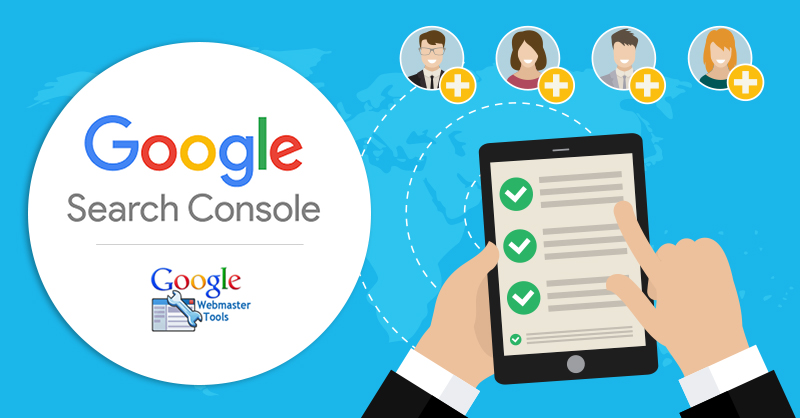
The next step is to ensure whether everything has been successful so far. For this, you can utilize tools such as Google Webmaster. This tool will enable you to check if there are no broken links. If any broken links are found, it is advised to get them fixed quickly in order to avoid penalty.
Step 7: Check verification status and re-submit
It is common for web developers or web designers to stop the search engine to crawl the website. If that’s the case, then you will need to resume the crawler on your website.
Also, it is advised to check if the redesigned website is verified. You can do so by logging into the respective webmaster’s tool provided by Bing and Google. If it lacks verification, then redo it and claim your website.
Step 8: Robot.txt
During the redesign, there is a chance that your robot.txt file can get corrupted. To check if it has, you can use “robot.txt” option under crawl.
Step 9: Sitemap submission
As your website now has a new and modified structure, submit the website XML to Bing and Google. Once submitted, your new website will be crawled in the coming hours.
Step 10: Observe the changes
Finally, it is important to observe the changes and look for any potential growth. Keep a close tab on the rankings of your top keywords. There are many SEO tools available that enable you to keep track of these keywords. If there is a considerable change in your SEO, then make an effort to understand why this is happening and look to find a solution if your website traffic slows down quickly. You should monitor your website for at least two to three months.
Once you are confident there are no issues, loosen up a bit. You don’t need to keep such a close eye on these things. You can concentrate on promoting your website and carrying on with your growth and maintenance of SEO work.