
WhatsApp
call
Categories
Blog

Choose the Best Web Design Agency for an E-commerce Store

Choosing the best web design agency for an e-commerce store comes down to five things: proven online-store experience, a conversion-focused design process, platform expertise, strong technical SEO and speed skills, and clear post-launch support. A good agency doesn’t just make your shop look attractive. It builds a store that loads fast, ranks on Google and turns visitors into paying customers.

This guide walks you through exactly how to evaluate agencies, what to ask them, which red flags to avoid and what you should expect to pay.

Why Your Choice of Web Design Agency Matters So Much

An online store is not a brochure website. Every page has a job: help someone find a product, trust your brand and complete a purchase. A weak design costs you money every day through abandoned carts, poor search rankings and frustrated shoppers.

Research from the Baymard Institute has consistently found that roughly 70% of online shopping carts are abandoned, and confusing checkout flows are one of the main causes. A skilled e-commerce design team reduces that friction. An inexperienced one can add to it.

Your agency will also shape your long-term costs. A store built on the wrong platform or with messy code becomes expensive to update, slow to load and hard to scale.

Step 1: Define Your E-commerce Goals Before You Search

Before you contact any agency, write down what you need. This makes every conversation sharper and helps you compare proposals fairly.

Answer these questions first:

  • What are you selling? Ten products need a different setup than 10,000.
  • Who is your customer? Mobile-first shoppers, B2B buyers and luxury customers all expect different experiences.
  • What is your budget range? Include design, development, integrations and the first year of maintenance.
  • What do you want to achieve? More sales, a better brand image, lower cart abandonment or international expansion.
  • Do you already have a platform? Shopify, WooCommerce, Magento (Adobe Commerce), BigCommerce or a custom build.

With clear goals, you can judge agencies by results instead of promises.

9 Things to Check When Choosing an E-commerce Web Design Agency 

Use these nine criteria as a scorecard. Rate every agency you shortlist from 1 to 5 on each one.

1. Proven E-commerce Experience

Not every web designer understands online retail. Ask for live e-commerce stores they have built, not just corporate websites. Look for experience in your niche or a similar one, such as fashion, electronics, health products or B2B supplies.

Open their case studies and look for measurable outcomes: higher conversion rates, faster load times, increased average order value or lower bounce rates. Vague praise like “beautiful design” is not evidence.

2. Platform and Technology Expertise

The right platform depends on your business, and a trustworthy agency will recommend one based on your needs rather than pushing whatever they happen to sell.

  • Shopify suits fast-growing stores that want ease of use and reliability.
  • WooCommerce suits businesses that want full control and already use WordPress.
  • Magento (Adobe Commerce) suits large catalogs and complex requirements.
  • BigCommerce suits mid-size stores needing built-in features.
  • Custom builds suit unique workflows, but they cost more to maintain.

Ask why they recommend a particular platform and what trade-offs come with it. An honest answer includes downsides.

3. A Conversion-Focused Design Process

Good e-commerce design is built on user behavior, not just visual taste. Ask how the agency approaches:

  • Product page layout, including images, reviews, pricing and calls to action
  • Navigation and search, so shoppers find products in a few clicks
  • A simple, guest-friendly checkout
  • Trust signals such as secure payment badges, return policies and testimonials
  • A/B testing and analytics

A strong agency will talk about wireframes, user journeys and data. If they only talk about colors and fonts, keep looking.

4. Mobile-First Design

A large share of online shopping happens on phones, and Google primarily uses the mobile version of your site for indexing. Your store must be designed for small screens first, with thumb-friendly buttons, quick-loading images and a short, simple checkout.

Test their portfolio sites on your own phone. If the experience feels slow or clumsy, your store will too.

5. Technical SEO and Page Speed

A strong e-commerce web design agency builds search visibility into the foundation, not as an afterthought. Ask whether they handle:

  • Clean URL structures and logical category hierarchies
  • Schema markup for products, reviews, prices and availability
  • Optimized meta titles and descriptions
  • Image compression and lazy loading
  • Core Web Vitals, which Google measures through Largest Contentful Paint (aim for under 2.5 seconds), Interaction to Next Paint (under 200 milliseconds) and Cumulative Layout Shift (under 0.1)

Run a few of their portfolio sites through Google PageSpeed Insights. It takes two minutes and shows you the quality of their technical work.

6. Integrations and Scalability

Your store needs to work with the tools you use to run your business. Confirm the agency can integrate:

  • Payment gateways such as Stripe, PayPal, Razorpay and local options
  • Inventory, ERP and accounting software
  • Shipping and logistics providers
  • Email marketing and CRM tools
  • Analytics and advertising pixels

Also ask how the store will cope when traffic or product numbers double. Scalable architecture saves you from a costly rebuild later.

7. Security and Compliance

Customers hand over personal and payment details, so security is non-negotiable. A reliable agency will set up SSL certificates, secure payment handling (PCI DSS compliance), regular backups and sensible user-permission controls. If you sell internationally, ask about privacy compliance such as GDPR.

8. Transparent Pricing and Clear Communication

Good agencies give detailed proposals that break down design, development, content, testing and support. Be cautious of a quote that is dramatically lower than the others. Hidden costs often appear later as “extra” charges.

Pay attention to how they communicate before you sign. Slow replies and unclear answers during the sales stage rarely improve once the project begins.

9. Post-Launch Support and Maintenance

Launch day is the beginning. Stores need updates, security patches, bug fixes and ongoing improvements. Ask about:

  • Warranty or bug-fix period after launch.
  • Monthly maintenance plans.
  • Response times for urgent issues.
  • Training so your team can manage products and orders.

Questions to Ask Before You Hire

Bring these questions to every discovery call:

  1. Can you show me three e-commerce stores you’ve built and the results they achieved?
  2. Which platform would you suggest for us, and why?
  3. How do you design for conversions and a smooth checkout?
  4. How will you tackle site speed, mobile device performance and SEO? 
  5. After launch, who owns the website, code and content after launch? 
  6. What is your timeline, and what do you require from us? 
  7. What support and maintenance do you offer after go-live?
  8. How do you test the store before launch?

A Simple Process for Making the Final Decision

Follow this short process to move from a long list to a confident choice:

  1. Shortlist three to five agencies based on portfolio fit and reviews.
  2. Request detailed proposals with scope, timeline and cost breakdowns.
  3. Hold discovery calls and use the questions above.
  4. Check references. Speak to at least one past client about communication and results.
  5. Score each agency on the nine criteria and choose the one with the best overall fit, not just the lowest price.

If you want to see how a team approaches online store projects, you can explore the e-commerce website design services offered by Bytelabz. You can also browse the portfolio for real project examples, or contact the team to discuss your store’s goals.

Frequently Asked Questions

What should I look for in an e-commerce web design agency? 

Look for proven e-commerce portfolio work, expertise in your preferred platform, conversion-focused design, mobile-first development, technical SEO skills, secure payment handling and reliable post-launch support. Measurable results in case studies are the strongest indicator of quality.

How long does it take to build an e-commerce website?

A simple template-based store can take around four to six weeks. A custom store with integrations and a large catalog often takes three to six months or longer. Timelines depend on content readiness, feature complexity and how quickly your team gives feedback.

Which platform is best for an e-commerce store: Shopify or WooCommerce?

Shopify is usually better if you want speed, simplicity and managed hosting. WooCommerce is better if you want deep customization and already use WordPress. The best choice depends on your budget, technical comfort and growth plans, so ask your agency to justify its recommendation.

Should my web design company also handle SEO?

Ideally, yes, at least the technical foundations: site structure, speed, schema markup, mobile optimization and clean URLs. Ongoing content marketing and link building may be a separate service, but the store should be built SEO-ready from day one.

Is it better to hire a freelancer or an agency for an e-commerce website?

Freelancers can suit small, simple stores with tight budgets. Agencies are usually better for larger or growing stores because they bring a team of designers, developers, SEO specialists and project managers, which reduces the risk of delays or single-person dependency.

Final Thoughts

The right e-commerce web design agency is the one that understands your customers, builds for conversions, and supports your growth long after launch. Set clear goals, score agencies against the nine criteria above, check references and trust evidence over promises. A little diligence now can save you months of lost sales and costly rebuilds later.
Categories
Blog

Local SEO Tips for Businesses in Kollam and Kottayam | ByteLabz

If you run a business in Kollam or Kottayam, chances are your next customer is already searching for you on Google — they just don’t know your business exists yet. That’s where local SEO comes in. Local SEO is the practice of optimizing your online presence so that when someone nearby searches for “best restaurant near me,” “plumber in Kollam,” or “boutique in Kottayam,” your business shows up first.

For small and medium businesses across Kerala’s backwater towns, local search visibility isn’t optional anymore — it’s the difference between a customer choosing you or your competitor three streets away. In this guide, ByteLabz breaks down actionable local SEO tips tailored specifically for businesses operating in Kollam and Kottayam, covering everything from Google Business Profile optimization to the newer world of AI-powered search (AEO and GEO).

Why Local SEO Matters for Kollam and Kottayam Businesses

Kollam, known for its cashew industry and coir trade, and Kottayam, famous for its rubber plantations and publishing houses, are both growing commercial hubs. As more residents and tourists turn to Google, Google Maps, and AI assistants to find local services, businesses that haven’t optimized their online presence are becoming invisible — even if they’re the best option in town.

Here’s what strong local SEO does for you:

  • Puts your business in the Google “Map Pack” (the top 3 local results with a map)
  • Builds trust through reviews, ratings, and consistent business information
  • Drives foot traffic from people actively searching nearby
  • Helps you compete with larger, more established brands
  • Prepares your business for AI-driven search (like Google’s AI Overviews, ChatGPT, and Perplexity) recommending local businesses directly

1. Claim and Optimize Your Google Business Profile

Your Google My Business Profile (GMB) is the single most essential local SEO resource you have . It’s what shows up on Google Maps and in local search results.

Steps to optimize it:

  • Claim and verify your listing if you haven’t already
  • Use your exact business name — avoid keyword-stuffing (e.g., don’t write “ByteLabz – Best Digital Marketing Agency Kollam Kottayam”)
  • Select accurate primary and secondary categories (e.g., “Digital Marketing Agency,” “Web Designer”)
  • Add your exact address, contact information, and business hours
  • Upload high-quality photos of your storefront, products, and team
  • Post updates, offers, and events regularly through the GBP posting feature
  • Enable messaging and Q&A so customers can reach you directly

According to Google’s own guidance, businesses with complete and accurate profiles are significantly more likely to be considered reputable and rank higher in local results. You can review Google’s official recommendations here: Google Business Profile Help Center.

2. Nail Down Local Keyword Research

Common keywords like “digital marketing agency” are extremely competitive. Instead, focus on location-specific long-tail keywords that match how real people search:

  • “web design company in Kollam”
  • “SEO services near Kottayam”
  • “best bakery in Kollam town”
  • “furniture shop Kottayam Medical College Road”
  • “digital marketing agency Kerala for small business”

Tips for local keyword research:

  • Use Google’s autocomplete suggestions and “People also ask” boxes
  • Check the “Related searches” at the bottom of Google results pages
  • Include neighborhood names, landmarks, and even nearby towns (e.g., Chathannoor, Karunagappally near Kollam; Changanassery, Ettumanoor near Kottayam)
  • Use free tools like Google Keyword Planner or Ubersuggest to validate search volume

Weave these keywords naturally into your website’s title tags, headers, meta descriptions, and page content — never force them in unnaturally.

3. Optimize On-Page SEO for Local Intent

Once you know your keywords, your website needs to reflect them clearly. Search engines (and increasingly, AI systems) reward pages that clearly answer “what, where, and for whom.”

On-page checklist:

  • Include your city/town name in page titles and H1 headings
  • Create a dedicated “Service Area” or “Locations We Serve” page mentioning Kollam, Kottayam, and surrounding areas
  • Embed a Google Map on your Contact page
  • Add your NAP (Name, Address, Phone number) consistently in the footer of every page
  • Use schema markup (LocalBusiness structured data) so search engines understand your business details programmatically
  • Ensure your website is mobile-friendly and opens swiftly — most local searches occur on phones

If you’re unsure how to implement structured data correctly, our team at ByteLabz handles this as part of our SEO services for Kerala-based businesses.

4. Build Local Citations and Backlinks

Any internet reference to your company’s name, address, and phone number is considered a “citation”—even if there isn’t a link. Consistency among these citations improves confidence with search engines.

Where to list your business:

  • Justdial, Sulekha, and IndiaMART
  • Kerala-specific business directories and Chamber of Commerce listings
  • Local news sites covering Kollam or Kottayam business news
  • Industry-specific directories relevant to your niche

For backlinks specifically:

  • Partner with local bloggers or news portals for guest features
  • Sponsor local community events and request a website mention
  • Get listed on tourism or local business association websites (especially useful if you’re in hospitality, retail, or services catering to visitors)

Google’s Search Central documentation also emphasizes that quality, relevant backlinks remain one of the strongest ranking signals — you can read more in Google Search Central’s SEO Starter Guide.

5. Manage Reviews and Reputation Actively

Reviews have a direct impact on purchasing decisions and are a significant local ranking factor. A business with 50 reviews at 4.5 stars will almost always outrank one with 5 reviews at 5 stars.

How to build a strong review profile:

  • Ask happy customers directly for a Google review (in person or via a follow-up message)
  • Respond to every review — positive and negative — professionally and promptly
  • Never buy fake reviews; Google actively penalizes this and it damages long-term trust
  • Share positive reviews on your social media and website testimonials page

6. Create Locally Relevant Content

Search engines favor businesses that demonstrate genuine local relevance — not just a location mentioned once on a contact page.

Content ideas for Kollam and Kottayam businesses:

  • “Top 5 Things to Do Near [Your Business] in Kollam”
  • Local event coverage or sponsorships you’ve participated in
  • Case studies or testimonials from local clients
  • Blog posts referencing local landmarks like Ashtamudi Lake, Thangassery Lighthouse (Kollam), or Kumarakom, Vaikom (Kottayam) where naturally relevant to your industry

This kind of content signals to Google — and increasingly to AI search tools — that your business is deeply embedded in the local community, not a generic listing.

7. Prepare for AEO and GEO: The Future of Local Search

Search is evolving. Beyond traditional SEO, businesses now need to think about:

  • AEO (Answer Engine Optimization): Optimizing content to directly answer questions people ask voice assistants and AI chatbots (e.g., “Which is the best web design agency near Kottayam?”)
  • GEO (Generative Engine Optimization): Structuring content so AI-generated search summaries (like Google’s AI Overviews or ChatGPT search) can accurately cite and recommend your business

How to prepare:

  • Structure content with clear questions and direct answers (like the FAQ section below)
  • Use structured data (schema.org markup) extensively
  • Keep information consistent across your website, Google Business Profile, and directories — AI systems cross-reference these sources
  • Write in a clear, factual tone that’s easy for AI systems to extract and summarize

At ByteLabz, we build websites and content strategies with AEO and GEO in mind from day one — not as an afterthought — because the businesses that adapt early will dominate visibility over the next few years.

How ByteLabz Helps Kollam and Kottayam Businesses Grow

At ByteLabz, we specialize in helping local businesses across Kerala — including Kollam and Kottayam — build a strong, search-optimized online presence. Our approach combines:

  • Google Business Profile setup and ongoing optimization
  • Local keyword research and content strategy
  • Technical SEO and website performance improvements
  • Structured data implementation for AEO/GEO readiness
  • Review management and local reputation building

Whether you’re a retail store, a service provider, or a growing enterprise, our team works closely with you to make sure your business is the one customers find first. Explore our full range of digital marketing services or get in touch with our team to discuss a local SEO strategy tailored to your business.

Frequently Asked Questions

  1. How long does it take for local SEO to produce results?Typically, businesses start seeing noticeable improvements in local visibility within 3–6 months, though this varies based on competition, current website health, and consistency of effort.
  1. Do I need a website if I already have a Google Business Profile?
    Yes. While GBP is essential for local visibility, a website builds trust, supports deeper content, and gives you more control over conversions — especially as AI search tools pull information from multiple sources, not just GBP.
  2. How many Google reviews do I need to rank well locally?
    There’s no fixed number, but businesses with consistent, recent, and detailed reviews generally outperform competitors with fewer or outdated reviews.
  3. Is local SEO different for Kollam versus Kottayam businesses?
    The core principles are the same, but keyword research, local landmarks, competitor analysis, and community engagement strategies should be tailored to each specific town for the best results.
  4. Can ByteLabz help with both SEO and website design?
    Yes. ByteLabz offers end-to-end digital services, including website design, development, and ongoing SEO/AEO/GEO optimization for businesses across Kerala.

Final Thoughts

Local SEO isn’t a one-time task — it’s an ongoing commitment to being visible, credible, and helpful to the customers already searching for what you offer in Kollam and Kottayam. From optimizing your Google Business Profile to preparing for AI-driven search, every step compounds over time.

If you’d like expert help building a local SEO strategy that actually moves the needle, the team at ByteLabz is ready to help your business get found — and chosen — by more local customers.

Categories
Blog

Digital Marketing Strategies That Help Small Businesses Grow

Running a small business today means competing in a marketplace that never sleeps. Your customers are scrolling, searching, and comparing options around the clock, and if your business isn’t visible in those moments, someone else’s will be. The good news is that you no longer need a massive marketing budget to compete with bigger players. What you need is a set of digital marketing strategies that are practical, measurable, and built around how people actually discover and choose businesses today.

At ByteLabz, we work with small and mid-sized businesses every day that are trying to figure out exactly this — how to grow online without wasting time or money on tactics that don’t move the needle. This guide breaks down the strategies that consistently deliver results, along with how to prioritize them based on your goals and budget.

Why Digital Marketing Matters More Than Ever for Small Businesses

A few years ago, a good location and word-of-mouth referrals could sustain a small business. That’s no longer enough. Most buying decisions now start with an online search, a social media scroll, or a quick check of reviews. If your business doesn’t show up during that research phase, you’re losing customers before you even get the chance to make your pitch.

Digital marketing levels the playing field. A well-run local bakery with a smart social media presence can outperform a national chain in its own neighborhood. A boutique consulting firm with a strong content strategy can win clients away from larger competitors simply by showing up first with the right answer. The strategies below are how that happens in practice.

1. Build a Website That Works as Hard as You Do

Your website is often the first real impression a potential customer forms of your business, and it needs to do more than just look nice. It should load quickly, work seamlessly on mobile devices, and make it obvious what you offer and how to take the next step, whether that’s calling, booking, or buying.

Small businesses frequently lose customers simply because their site is slow or confusing to navigate. According to research from Google’s Think with Google, a significant share of mobile users abandon a site if it takes more than a few seconds to load. A clean, fast, mobile-friendly site isn’t a luxury anymore — it’s the foundation everything else is built on.

2. Invest in Local SEO

For businesses that serve a specific area, local search engine optimization is one of the highest-return strategies available. This means optimizing your Google Business Profile, gathering genuine customer reviews, and making sure your business name, address, and phone number are consistent across every online directory.

When someone searches “coffee shop near me” or “plumber in [city],” you want your business to appear in that local results panel. This single strategy can bring in steady, high-intent traffic without any ad spend. Our team at ByteLabz has helped local businesses see measurable increases in foot traffic simply by cleaning up and optimizing their local listings — you can read more about how we approach this on our SEO services page.

3. Create Content That Answers Real Questions

Content marketing works because it meets customers where they already are — searching for answers. Blog posts, how-to guides, and FAQ pages that genuinely solve a problem build trust and improve your visibility in search engines at the same time.

The key is consistency and relevance. A landscaping company that publishes helpful seasonal lawn care tips will naturally attract homeowners who are already interested in their services. Over time, this kind of content compounds, bringing in organic traffic long after it’s published, unlike a paid ad that stops working the moment you stop paying for it.

4. Use Social Media With Intent, Not Just Presence

Having a social media account isn’t the same as having a social media strategy. Small businesses get the best results when they pick one or two platforms where their actual customers spend time, rather than spreading themselves thin across every platform available.

A B2B service business might get far more value from a focused LinkedIn presence than from TikTok, while a retail brand selling visual products might thrive on Instagram. The goal is engagement and relationship-building, not just posting for the sake of posting.

5. Run Targeted Paid Advertising

Organic strategies take time to build momentum, which is why paid advertising still has an important role. Platforms like Google Ads and Meta Ads allow small businesses to target very specific audiences based on location, interests, and search behavior, meaning even a modest budget can be spent efficiently.

The mistake many small businesses make is running ads without a clear goal or without tracking results. Every campaign should be tied to a measurable outcome, whether that’s website visits, phone calls, or completed purchases, so you know exactly what’s working and what isn’t.

6. Nurture Customers With Email Marketing

Email remains one of the most cost-effective digital marketing channels available, largely because you’re speaking directly to people who have already shown interest in your business. Regular, valuable emails — not just promotions — keep your business top of mind and encourage repeat purchases.

Segmenting your list based on customer behavior, such as past purchases or engagement level, makes your emails more relevant and significantly improves results compared to sending the same message to everyone.

7. Track Everything and Adjust Based on Data

None of these strategies work well in isolation, and none of them should be treated as “set and forget.” Tools like Google Analytics let you see exactly where your traffic is coming from and what happens after people arrive on your site. This data should directly inform where you invest your time and budget going forward.

Below is a quick comparison of these core strategies to help you decide where to focus first, especially if you’re working with limited time or budget.

Strategy Best For Typical Timeline for Results Relative Cost
Local SEO Businesses serving a specific city or region 2–4 months Low
Content Marketing Building long-term organic traffic and authority 3–6 months Low to Medium
Social Media Marketing Brand awareness and community building 1–3 months Low to Medium
Paid Advertising (PPC) Quick, measurable leads or sales Immediate to 2 weeks Medium to High
Email Marketing Retaining and re-engaging existing customers 1–2 months Low
Website Optimization Improving conversion of existing traffic 1 month Medium

Putting It All Together

The businesses that grow fastest online rarely rely on a single tactic. Instead, they combine a solid, fast website with local SEO to get found, content to build trust, social media to stay connected with their audience, and targeted ads to fill in the gaps while organic efforts gain traction. Email marketing then ties it all together by keeping past customers engaged long after their first purchase.

If this feels like a lot to manage on top of actually running your business, you’re not alone — it’s exactly why many small business owners choose to bring in a dedicated team rather than trying to do everything themselves. At ByteLabz, we specialize in building customized digital marketing plans for small businesses, focusing on the strategies that fit your specific goals and budget rather than a one-size-fits-all package. You can explore our full range of services on our digital marketing page, or get in touch through our contact page to talk through what would work best for your business.

Final Thoughts

Digital marketing isn’t about chasing every new trend or being active on every platform at once. It’s about understanding where your customers are, showing up there consistently, and measuring what actually drives results. Small businesses that treat digital marketing as an ongoing, data-informed process — rather than a one-time project — are the ones that build lasting, sustainable growth.

Whether you’re just starting to build an online presence or looking to refine a strategy that isn’t delivering, the strategies above provide a solid foundation. And if you’d rather have an experienced team handle the details while you focus on running your business, ByteLabz is here to help you build a digital marketing plan that actually grows with you.

Frequently Asked Questions

What is the greatest digital marketing plan for a small firm just starting out? Local SEO and a well-optimized website are usually the best starting point. They cost little to nothing beyond time, target people who are already searching for what you offer, and lay the groundwork that every other strategy builds on.

What amount should a small business invest in digital marketing? There’s no fixed number, but many small businesses start by allocating a modest, testable budget toward one or two channels — often local SEO and a small paid ad campaign — then reinvest more into whatever channel proves it delivers the best return.

For how long does it take to receive benefits from digital marketing? It depends on the strategy. Paid advertising can generate leads within days, while SEO and content marketing typically take two to six months to build meaningful traction. A mix of both gives you short-term results while longer-term growth builds in the background.

Do small businesses really need social media marketing? Not every platform, and not necessarily all of them. What matters is being active on the one or two platforms where your actual customers spend their time, rather than maintaining a presence everywhere out of obligation.

Can a small firm do digital marketing with or without hiring an agency? Yes, especially early on, with tools like Google Business Profile, Google Analytics, and email platforms that are built for non-experts. As the business grows and the strategy becomes more complex, many owners bring in a team like ByteLabz to manage it more efficiently and free up their own time.

What’s the most cost-effective digital marketing channel? Email marketing and local SEO tend to offer the strongest return relative to cost, since both target people who already know or are actively looking for a business like yours, rather than a cold audience.

Categories
Blog

Best Social Media Marketing Strategies for Small Businesses in Kerala

The best social media marketing strategies for small businesses in Kerala combine local relevance, consistent content, and smart use of low-cost tools — no massive ad budget required. If you run a small business in Kerala, you already know that customers are scrolling before they shop. In this guide, we break down exactly what works for Kerala-based businesses right now, from Kochi boutiques to Kozhikode home bakeries.

Quick Answer: What Works Best Right Now

For readers who want the short version: the most effective approach for a small Kerala business is to (1) pick one or two platforms your customers actually use, (2) post consistently with a mix of reels, local-language captions, and customer stories, (3) use geo-targeted ads with a modest budget, and (4) reply fast to DMs and comments, since local buyers often decide based on responsiveness. The sections below expand on each of these.

1. Choose Platforms Based on Where Your Kerala Customers Actually Are

Not every platform deserves equal attention. Instagram and WhatsApp Business dominate consumer buying decisions across Kerala, especially in urban centers like Kochi, Thiruvananthapuram, and Kozhikode, while Facebook still works well for reaching an older, family-oriented audience in tier-2 towns. Instead of spreading thin across five platforms, small businesses see better results focusing effort on two: one for discovery (Instagram or YouTube Shorts) and one for direct sales conversations (WhatsApp Business).

Practical tip: Set up a WhatsApp Business catalog so customers can browse products without leaving the chat — this alone can shorten the buying decision for local shoppers.

2. Localize Content Instead of Copying Generic Templates

Generic, one-size-fits-all posts rarely perform well for local audiences. Malayalam or Manglish captions, references to local festivals like Onam and Vishu, and content shot in recognizable local settings tend to build trust faster than polished but impersonal stock content. A short reel showing your shop’s actual counter in Kochi will usually outperform a stock-photo carousel.

Practical tip: Build a simple content calendar around Kerala’s festival and event calendar so your promotions feel timely rather than generic.

3. Use Short-Form Video as Your Primary Content Format

Short videos consistently get more reach than static images across Instagram Reels and YouTube Shorts, and small businesses without a big production budget can film effective content on a smartphone. Behind-the-scenes clips, quick product demos, and customer testimonials tend to perform especially well because they feel authentic rather than staged.

4. Run Small, Geo-Targeted Ad Campaigns

You don’t need a large ad budget to see results. A modest daily spend on Meta Ads, geo-targeted to a specific city, district, or even a radius around your shop, is often enough for local businesses to generate steady leads. Layering interest and location targeting together — for example, “Kochi + home decor” — keeps ad spend efficient by reaching only people likely to actually visit or order.

Practical tip: Start with a small test budget, measure which ad creative gets the most saves and shares, and only then scale spend on the winning version.

5. Prioritize Fast Responses and Community Engagement

Speed matters more than most business owners realize. Businesses that reply to comments and DMs within a few hours tend to convert significantly better than those that reply after a day or more, because a slow reply often means the customer has already messaged a competitor. Setting quick-reply templates in WhatsApp Business and checking Instagram DMs at set times each day can make a measurable difference in conversions.

6. Track a Few Simple Metrics, Not Vanity Numbers

Follower count alone tells you very little about business impact. It’s more useful to track engagement rate, click-through to your website or WhatsApp, and actual inquiries or orders generated from social media. These numbers tell you which content format and posting time are actually driving revenue, not just likes.

If you’d rather have this managed for you, our team at ByteLabz’ social media marketing services works with small businesses across Kerala to plan, create, and run exactly this kind of localized strategy end-to-end.

Putting It Together: A Simple Weekly Plan for Kerala Small Businesses

  • 2–3 short-form videos per week (product demos, behind-the-scenes, testimonials)
  • 1–2 static posts with local-language captions or festival tie-ins
  • Daily WhatsApp Business check-ins to reply to inquiries quickly
  • One small geo-targeted ad campaign per month, tested and optimized based on results

For businesses just getting started, our beginner’s guide to digital marketing for Kerala businesses walks through the basics before you dive into paid campaigns.

Frequently Asked Questions

What are the best social media marketing strategies for a small business in Kerala with a limited budget? Focus on one or two platforms, post short-form video consistently, use WhatsApp Business for direct sales conversations, and run small geo-targeted ad tests before scaling spend. According to Meta’s guide for small businesses, even modest, well-targeted ad budgets can outperform larger unfocused campaigns.

Which social media platform works best for small businesses in Kerala? Instagram and WhatsApp Business tend to work best for consumer-facing businesses in urban Kerala, while Facebook still reaches a strong local audience in smaller towns. The right choice depends on where your specific customers already spend time.

How often should a small business post on social media? Consistency matters more than frequency. Three to five well-planned posts a week, mixing video and static content, generally perform better than daily low-effort posts.

Do I need a large budget for social media ads in Kerala? No. A small daily budget with tight geo-targeting — for example, a specific city or a radius around your store — is often enough to generate steady local leads, especially when combined with organic content.

Final Thoughts

There’s no single trick that makes social media marketing work — it’s the combination of localized content, consistent posting, fast responses, and small, well-targeted ad spend that adds up over time. Businesses that treat these as ongoing habits, rather than one-off campaigns, tend to see the steadiest growth.

If you’d like help building and running this kind of strategy for your business, ByteLabz works with small businesses across Kerala on exactly this — reach out through our contact page to talk through what would work for your business. For general trends on how small businesses use social platforms, HubSpot’s State of Marketing report is also a useful outside reference.

Categories
Blog

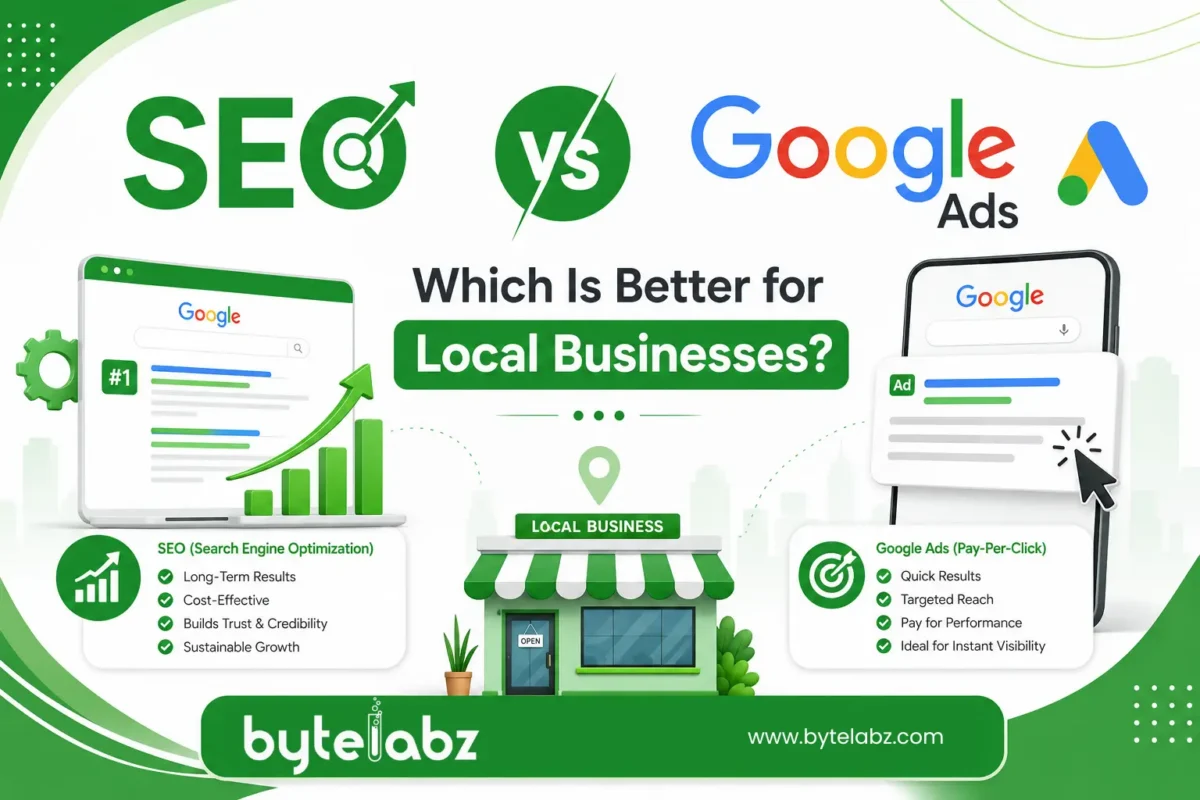
SEO vs Google Ads: Which Is Better for Local Businesses?

Quick answer: For most local businesses, SEO is better for long-term, low-cost visibility, while Google Ads is better for immediate leads and short-term campaigns. The two aren’t rivals — they solve different problems, and the strongest local marketing plans usually run both together, shifting budget as the business grows.

If you run a clinic, restaurant, salon, or service business in a specific city, this question comes up constantly: should you invest in SEO vs Google Ads for local businesses, or split your budget between both? Below, we break down how each channel works, what they cost, how fast they deliver results, and which one fits your stage of growth.

What Is SEO and How Does It Help Local Businesses?

Search Engine Optimization (SEO) is the process of improving your website so it ranks organically — without paid promotion — in Google’s search results. For local businesses, this usually means:

  • Optimizing your Google Business Profile
  • Building location-specific landing pages (e.g., “plumber in Kochi”)
  • Earning backlinks and citations from local directories
  • Improving site speed, mobile experience, and on-page content
  • Collecting genuine customer reviews

Local SEO helps you show up in the “Map Pack” (the three local listings shown above organic results) and in organic search when someone searches for your service or product nearby. A business that hires a skilled SEO specialist in Trivandrum can expect steady, compounding traffic growth rather than a sudden spike. 

What Is Google Ads and How Does It Help Local Businesses?

Google Ads is a pay-per-click (PPC) advertising platform. You bid on keywords, write ad copy, and pay each time someone clicks your ad. Your business appears at the top of search results — labeled “Sponsored” — the moment your campaign goes live.

For local businesses, Google Ads includes useful formats like:

  • Local Service Ads for verified professionals (electricians, lawyers, contractors).
  • Search Ads focused on those actively looking for your service.
  • Call-only campaigns that drive phone enquiries directly.
  • Location extensions that show your address and directions.

The biggest advantage of Google Ads is speed. You can launch a campaign today and start receiving calls or form fills by tomorrow.

SEO vs Google Ads comparison banner showing organic search visibility and paid advertising strategies for business growth

SEO vs Google Ads: Key Differences at a Glance

Factor SEO Google Ads
Cost structure Time and effort investment, no per-click fee Pay per click, budget-dependent
Time to results 3–6 months typically Immediate (within hours)
Longevity Long-term, compounding Stops when budget stops
Trust factor Organic listings feel more credible to users Some users skip “Sponsored” tags
Best for Sustainable, ongoing visibility Product launches, offers, urgent lead flow
Scalability Limited by content and authority growth Instantly scalable with budget

Cost Comparison: SEO vs Google Ads

This is usually the first question local business owners ask.

SEO costs are typically a fixed monthly retainer covering content, technical fixes, link building, and Google Business Profile management. It’s an investment that builds an asset — your rankings — which keeps generating traffic even if you pause spending for a short period.

Google Ads costs depend entirely on your industry’s cost-per-click (CPC) and daily budget. Competitive local categories like legal services, real estate, or healthcare can have high CPCs, meaning your visibility disappears the moment you stop paying.

A simple way to think about it: SEO is like buying a shop; Google Ads is like renting one. Renting gets you a storefront immediately, but ownership builds equity over time.

Which Delivers Faster Results?

Google Ads wins here without question. A well-set-up campaign can generate calls, form submissions, or walk-ins within 24–48 hours of going live. This makes it ideal for:

  • New business launches with no existing rankings
  • Seasonal offers or limited-time promotions
  • Testing which services or locations convert best
  • Filling immediate gaps in appointment calendars

SEO, on the other hand, requires patience. Google needs time to crawl, index, and trust your website before it ranks you for competitive local terms. Most businesses start seeing meaningful movement in 3 to 6 months, with stronger results compounding after a year.

Which Delivers Better Long-Term ROI?

Once a website ranks well organically, the traffic keeps flowing without an ongoing per-click cost. Over a 12–24 month period, businesses that invest consistently in SEO often see a lower cost-per-lead than those relying solely on ads, simply because organic clicks are “free” once rankings are established.

That said, SEO requires ongoing maintenance — algorithm updates, competitor movement, and content decay mean you can’t “set and forget” it. Partnering with the best SEO service company in Trivandrum ensures your rankings are actively protected and improved rather than left to slip. 

Do Local Businesses Need Both?

In most cases, yes. A common and effective approach is:

  1. Launch Google Ads early to generate leads while your SEO foundation is being built.
  2. Invest in SEO simultaneously so organic rankings start climbing in the background.
  3. Gradually shift budget from ads to SEO-driven traffic as rankings mature, reducing dependency on paid spend.
  4. Keep a small always-on ad budget for high-intent keywords or seasonal promotions, even after SEO matures.

This hybrid approach also improves your overall search presence: Google’s own research found that even when a business ranks #1 organically, roughly half of the clicks its ads receive would be lost — not recovered by organic clicks — if those ads were turned off, and that share climbs to over 80% once the organic ranking drops below the top few spots. In other words, appearing in both spots at once genuinely captures more combined clicks than relying on either channel alone. 

Answering the Common Questions Local Business Owners Ask

Is Google Ads or SEO cheaper for a small business?

SEO is generally cheaper over the long run, but it requires more upfront patience. Google Ads costs money from day one and stops producing results the moment you stop paying.

How much time does SEO typically take to deliver results for a local business?

Most local businesses start seeing ranking improvements within 3 to 6 months, with stronger, more stable results after 12 months of consistent optimization.

Can I run Google Ads and SEO at the same time?

Yes. Running both simultaneously is one of the most effective local marketing strategies — Ads cover the gap while SEO rankings build.

Which is better for a brand-new local business with zero online presence?

Google Ads, initially. A new website has no ranking history, so ads provide immediate visibility while SEO work builds organic authority in the background.

Does Google Ads help SEO rankings?

Not directly — ad spend doesn’t influence organic rankings. However, the extra traffic and brand visibility from ads can indirectly support SEO through increased searches for your business name and more reviews.

Final Verdict: Which Should Your Local Business Choose?

  • Choose Google Ads if you need leads fast, are launching a new business, or want to test a specific offer or location.
  • Choose SEO if you’re building a sustainable business and want long-term visibility that doesn’t disappear when your ad budget runs out.
  • Choose both if you want to dominate local search results and balance immediate leads with long-term growth.

There’s no universal winner in the SEO vs Google Ads debate — the right mix depends on your budget, timeline, and goals. What matters most is working with a team that understands local search behavior and can adjust strategy as your business grows.

If you’re unsure where to start, contact ByteLabz for a free consultation. Our team will assess your current visibility, competition, and budget to recommend the right mix of SEO and Google Ads for your local business

Categories
Blog

Custom Web Application Development: Benefits for Growing Businesses

Introduction 

Every growing business eventually hits the same wall: the generic software that worked fine at launch can no longer keep up with new processes, new customers, and new goals. This is where custom web application development becomes a turning point. Instead of forcing your operations to fit a one-size-fits-all tool, web application development builds software around your workflows, your customers, and your growth plans.

In this guide, the team at ByteLabz breaks down what  web application development actually means, the real benefits it offers growing businesses, how it compares to off-the-shelf software, and what to look for in a development partner — answering the questions business owners most often search for.

What Is Custom Web Application Development?

Custom web application development is the process of designing, building, and deploying a web-based software solution tailored to a specific business’s needs, rather than using a pre-built, generic product. Unlike ready-made platforms, a web application is built from the ground up (or on a flexible framework) to match exact business logic, branding, integrations, and user experience requirements.

Common examples include:

  • Customer portals and self-service dashboards
  • Internal workflow and inventory management systems
  • Booking and scheduling platforms
  • CRM and ERP systems built around unique processes
  • E-commerce platforms with custom checkout logic

Why Growing Businesses Need Custom Web Application Development

As companies scale, their software needs change faster than most off-the-shelf tools can adapt. Here’s why more growing businesses are investing in web application development.

1. Built to Scale With You

Off-the-shelf tools often come with rigid user limits, storage caps, or feature tiers that force costly upgrades. A custom application is architected for scalability from day one, allowing you to add users, features, and integrations as your business grows — without hitting artificial ceilings. 

2. Tailored to Your Exact Workflow

Generic software forces your team to adapt to its process. A web application mirrors your actual workflow, reducing manual workarounds, duplicate data entry, and wasted time. This alone often delivers measurable productivity gains within months.

3. Stronger Security and Compliance

Custom-built applications let you implement security measures specific to your industry — whether that’s HIPAA for healthcare, PCI-DSS for payments, or GDPR for data privacy. You’re not relying on a vendor’s shared infrastructure or waiting on their patch schedule.

4. Seamless Integration With Existing Systems

Growing businesses typically run a mix of tools — accounting software, CRMs, payment gateways, marketing platforms. Web application development allows for purpose-built APIs and integrations, so your systems talk to each other instead of operating in silos.

5. A Genuine Competitive Advantage

When every competitor uses the same off-the-shelf SaaS tool, there’s no differentiation. A custom application lets you build features unique to your value proposition — something competitors using generic software simply can’t replicate.

6. Better Customer Experience

Custom applications let you design the user journey around your actual customers, not a generic user persona. This means faster load times, simpler navigation, and features that reflect what your specific audience actually needs.

7. Long-Term Cost Efficiency

Custom development has a higher upfront cost, but it removes recurring per-user licensing fees, forced upgrades, and the hidden costs of workarounds. For businesses planning to scale over 3–5 years, custom solutions frequently become the more cost-effective option.

Custom Web Application Development vs. Off-the-Shelf Software

Factor Custom Web Application Off-the-Shelf Software
Fit to business process Built around your workflow You adapt to its workflow
Scalability Designed to grow with you Often capped by pricing tiers
Ownership You own the code and data Vendor controls the platform
Customization Unlimited Limited to available settings
Integration Built for your exact stack May require workarounds
Initial cost Higher Lower
Long-term cost Often lower at scale Recurring licensing fees add up


When Should a Growing Business Choose Custom Development?

A web application development makes the most sense when:

  • Your business operations are unusual enough that no existing tool fits properly 
  • You’re spending significant time on manual workarounds for software limitations
  • Data security or compliance requirements exceed what generic tools offer
  • You need to integrate multiple existing systems into one cohesive platform
  • You want a product feature that becomes a real competitive differentiator

If your needs are simple and standard (e.g., basic email marketing), an off-the-shelf tool may still be the smarter choice — custom development isn’t the answer for every situation, and an excellent development partner will tell you that honestly. 

What to Look for in a Custom Web Application Development Partner

  1. Proven experience in your industry — ask for case studies, not just a portfolio.
  2. A clear discovery and planning process — good partners map your workflow before writing code.
  3. Transparent pricing and timelines — avoid vague estimates.
  4. Post-launch support — custom applications need maintenance, updates, and scaling support.
  5. Security-first development practices — especially important for regulated industries.

At ByteLabz, every web application engagement starts with this same discovery-first approach — understanding your workflow, systems, and growth plans before a single line of code is written.

Frequently Asked Questions

What is web application development? 

Web application development is the process of building a web-based software solution designed specifically for one business’s workflows, branding, and integration needs, rather than using a generic, pre-built product.

How much does web application development cost? 

Costs vary widely based on complexity, ranging from a few thousand dollars for a simple internal tool to six figures for a full-scale enterprise platform. Most development partners provide a fixed quote after a discovery and scoping phase.

How long does it take to construct a web application?  

Simple applications can take 6–10 weeks, while complex, multi-feature platforms typically take 4–9 months, depending on scope, integrations, and testing requirements.

Is custom web application development worth it for a small business? 

It depends on the business’s growth stage and process complexity. If off-the-shelf tools are creating real bottlenecks or costing significant staff time in workarounds, custom development often pays for itself within 1–2 years.

What’s the distinguishing feature between a web application and a website?

A website primarily displays information, while a web application allows users to interact with data — logging in, submitting forms, processing transactions, or managing records in real time.

Final Thoughts

For businesses that have outgrown generic software, web application development isn’t just a technical upgrade — it’s a strategic investment in efficiency, security, and long-term scalability. The right custom solution removes the friction that generic tools create, freeing your team to focus on growth instead of workarounds.

Ready to explore what a web application could do for your business? ByteLabz specializes in  web application development for growing businesses across industries. Contact ByteLabz today to schedule a free consultation and get a tailored development roadmap.

Categories
Blog

Shopify vs WooCommerce: Which Is Right for Your Business?

Starting an online store is one of the smartest ways to grow your business, but choosing the right platform can make or break your success. When comparing Shopify vs WooCommerce, business owners often struggle to decide which platform best suits their goals, budget, and technical expertise.

Whether you’re a startup, a local retailer, or an established business planning to expand online, understanding the differences between these two leading eCommerce platforms is essential. In this guide, we’ll compare Shopify and WooCommerce based on pricing, ease of use, customization, SEO, security, scalability, and more to help you make an informed decision.

What Are Shopify and WooCommerce?

Shopify

Shopify is a fully hosted eCommerce platform that allows businesses to create, manage, and grow an online store without worrying about hosting, security, or software maintenance. Everything you need is available in one subscription.

It’s ideal for businesses looking for a quick, hassle-free way to launch an online store.

WooCommerce

WooCommerce is a free, open-source eCommerce plugin built for WordPress. Unlike Shopify, WooCommerce gives complete control over your website, allowing extensive customization and flexibility.

However, you’ll need separate web hosting, a domain, SSL certificate, and occasional maintenance.

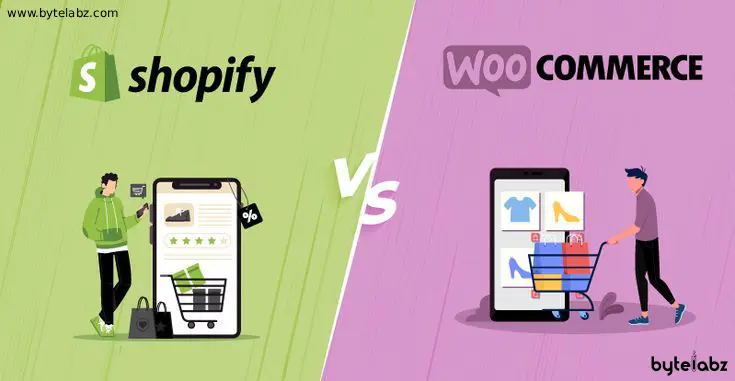
Illustration comparing Shopify vs WooCommerce for eCommerce website development, highlighting the differences between the two platforms by Bytelabz.

Feature-by-Feature Comparison 

1. Ease of Use

Shopify

Shopify is beginner-friendly.

  • No coding required
  • Drag-and-drop customization
  • Built-in hosting
  • Automatic updates
  • Ready-to-use themes

Anyone can launch a professional store within a few hours.

WooCommerce

WooCommerce requires more setup.

You’ll need to:

  • Purchase hosting
  • Install WordPress
  • Install WooCommerce
  • Configure security
  • Manage backups

Although it takes more effort initially, it offers unmatched flexibility.

Winner: Shopify (for beginners)

2. Pricing

Shopify

Monthly subscription plans include:

  • Hosting
  • SSL
  • Security
  • Technical support
  • Software updates

Additional costs may include premium apps and themes.

WooCommerce

WooCommerce itself is free, but you’ll pay for:

  • Domain
  • Hosting
  • Premium plugins
  • Themes
  • Maintenance

While initial costs may be lower, expenses vary depending on your requirements.

Winner: WooCommerce (for budget-conscious businesses)

3. Customization

Shopify

Offers hundreds of themes and apps.

Customization is simple but has some limitations compared to open-source platforms.

WooCommerce

WooCommerce gives complete control over:

  • Website design
  • Checkout process
  • Product pages
  • SEO settings
  • Custom features
  • Integrations

Developers can build almost anything.

Winner: WooCommerce

4. SEO Performance

SEO is critical for attracting organic customers.

Shopify SEO Features

  • Automatic sitemap
  • Clean URLs
  • SSL included
  • Mobile optimization
  • Fast hosting

However, some advanced SEO customization is limited.

WooCommerce SEO Features

Since WooCommerce runs on WordPress, it provides advanced SEO capabilities.

You can use plugins like:

  • Yoast SEO
  • Rank Math
  • All in One SEO

Benefits include:

  • Full meta control
  • Schema markup
  • Advanced redirects
  • Internal linking optimization
  • Custom URL structures

Winner: WooCommerce

5. Performance and Speed

Shopify

Shopify manages hosting and optimization automatically.

Benefits include:

  • Fast loading
  • Global CDN
  • Optimized servers
  • Minimal maintenance

WooCommerce

Performance depends on your hosting provider.

With quality hosting and optimization, WooCommerce can be equally fast.

Winner: Shopify (out of the box)

6. Security

Shopify

Security is handled entirely by Shopify.

Includes:

  • SSL certificate
  • PCI compliance
  • Automatic updates
  • Fraud protection
  • Regular security patches

WooCommerce

Security depends on you.

You’ll need:

  • SSL
  • Security plugins
  • Malware protection
  • Regular updates
  • Secure hosting

Winner: Shopify

7. Payment Options

Both platforms support numerous payment gateways.

Shopify

Supports:

  • Shopify Payments
  • Stripe
  • PayPal
  • Razorpay
  • Third-party gateways

Some gateways may incur additional transaction fees.

WooCommerce

Supports almost every payment gateway available.

You have complete freedom to integrate payment solutions without platform restrictions.

Winner: WooCommerce

8. Scalability

Shopify

Perfect for businesses expecting rapid growth.

Handles:

  • Large product catalogs
  • High traffic
  • Enterprise-level stores
  • International sales

WooCommerce

Also highly scalable but depends on hosting quality and server optimization.

Winner: Tie

At-a-Glance Comparison Table 

Feature Shopify WooCommerce
Ease of Use ⭐⭐⭐⭐⭐ ⭐⭐⭐
Customization ⭐⭐⭐⭐ ⭐⭐⭐⭐⭐
SEO ⭐⭐⭐⭐ ⭐⭐⭐⭐⭐
Hosting Included Separate
Security Managed Self-managed
Pricing Monthly subscription Flexible
Scalability Excellent Excellent
Support 24/7 Community & Hosting Provider

Which Platform Is Better for Different Businesses?

Choose Shopify If You:

  • Want a quick online store
  • Have little technical knowledge
  • Prefer an all-in-one solution
  • Need reliable customer support
  • Don’t want to manage hosting

Choose WooCommerce If You:

  • Already use WordPress
  • Want complete website control
  • Need advanced SEO
  • Want unlimited customization
  • Have access to a developer or technical team

SEO Considerations: Which Platform Wins?

When comparing the two platforms, SEO often becomes the deciding factor for businesses focused on long-term organic growth.

WooCommerce offers greater flexibility for technical SEO, content marketing, schema implementation, and URL customization because it is built on WordPress. Businesses that rely heavily on blogging and local SEO often benefit from WooCommerce’s extensive SEO capabilities.

Shopify, on the other hand, provides a solid SEO foundation with fast loading speeds, secure hosting, and built-in optimization features. While it offers fewer customization options, it is sufficient for many online stores seeking simplicity and reliability.

Which Platform Is Better for Businesses in Kerala?

For businesses in Kerala, including those in Trivandrum, Kochi, and Calicut, the right platform depends on your goals.

If you want to launch quickly with minimal maintenance, Shopify is an excellent option. If your business requires advanced SEO, custom functionality, multilingual support, and full control over your website, WooCommerce is often the preferred choice.

Working with an experienced web development company ensures that whichever platform you choose is optimized for performance, security, user experience, and search engine visibility.

Why Choose Bytelabz for Your eCommerce Website Development? 

Choosing between these two platforms is only the first step in building a successful online store. Selecting the right eCommerce platform—and partnering with an experienced development team—can significantly impact your website’s performance, customer experience, and long-term business growth.

Bytelabz is a full-service Web Design & Development company specializing in creating modern, scalable, and user-friendly digital solutions for businesses of all sizes. Our services include custom web design, eCommerce website development, online marketing, branding, and print & identity solutions, helping businesses establish a strong digital presence.

Our customer-first approach means your success is our success. We are committed to delivering innovative, cutting-edge web solutions that help businesses attract more customers, increase online visibility, and achieve sustainable growth. Whether your business chooses Shopify or WooCommerce, Bytelabz is ready to turn your eCommerce vision into reality.

Final Verdict

There’s no one-size-fits-all answer here. Choose Shopify if simplicity, speed, and managed hosting are your priorities.

Choose WooCommerce if flexibility, advanced SEO, and complete customization are essential for your business.

Both platforms are powerful, and the best choice depends on your business objectives, technical requirements, and growth plans. Consulting experienced eCommerce developers can help you select, customize, and optimize the platform that aligns with your long-term vision.

Frequently Asked Questions 

1. Which is better, Shopify or WooCommerce?

Both are excellent platforms. Shopify is easier for beginners, while WooCommerce offers greater customization and SEO flexibility.

2. Is WooCommerce free?

Yes. WooCommerce is free to install, but you’ll need to pay for hosting, a domain, and optional premium plugins.

3. Which platform is better for SEO?

WooCommerce generally provides more advanced SEO capabilities due to its integration with WordPress and SEO plugins.

4. Can I migrate from WooCommerce to Shopify?

Yes. Several migration tools and professional services can transfer products, customers, and orders from WooCommerce to Shopify.

5. Which platform is better for small businesses?

Small businesses with limited technical knowledge often prefer Shopify. Businesses seeking long-term flexibility and advanced customization usually choose WooCommerce.

6. Can Bytelabz help build Shopify and WooCommerce websites?

Yes. Bytelabz develops customized Shopify and WooCommerce eCommerce websites designed for performance, SEO, user experience, and business growth.

Categories
Blog

Web Design & SEO Services in Kerala

Discover the Leading Web Design & SEO Services in Kerala

In 2026, Kerala’s digital marketplace has grown more competitive than at any point in the last decade. Businesses that invested in professional web design and SEO three years ago are now seeing compounding returns — while those that delayed are catching up from a harder position. Here is what a properly integrated web design and SEO strategy looks like, and what Bytelabz specifically delivers for Kerala businesses. 

Whether you’re a start-up, local business, or established enterprise, investing in quality web design and SEO is essential for generating leads, increasing visibility, and building customer trust. This is where Bytelabz Solutions stands out as one of Kerala’s trusted digital growth partners.

Web Design and SEO Services in Kerala

A successful online presence begins with a professionally designed website and a strategic SEO plan. Modern customers often search online before making purchasing decisions, making it crucial for businesses to appear prominently in search results.

Professional web design and SEO services offer:

  • Responsive and mobile-friendly website development
  • Fast-loading and user-friendly interfaces
  • Search engine optimization for higher rankings
  • Local SEO strategies for regional visibility
  • Content optimization and keyword targeting
  • Improved user experience and conversion rates
  • Enhanced brand credibility and trust

Businesses across Kerala are increasingly investing in digital solutions to stay competitive and connect with a wider audience.

Why Kerala Businesses Invest in Professional Web Design 

Your website serves as your digital storefront. A poorly designed website can discourage visitors and negatively impact conversions. On the other hand, a professionally designed website helps establish credibility and encourages potential customers to engage with your business.

Benefits of Professional Web Design

1. Strong First Impression

Visitors form opinions about your business within seconds. A modern and attractive website creates a positive impression and encourages users to stay longer.

2. Better User Experience

Easy navigation, clear call-to-actions, and simple layouts help consumers access information efficiently and boost satisfaction with their experience.

3. Mobile Responsiveness

With a large percentage of users browsing on mobile devices, responsive design ensures your website performs flawlessly across all screen sizes.

4. Faster Loading Speed

Website performance significantly impacts user experience and search rankings. Optimized websites reduce bounce rates and increase engagement.

5. Increased Conversions

Strategic layouts and compelling content help turn visitors into leads and customers.

How SEO Builds Long-Term Visibility for Kerala Businesses 

Search Engine Optimization (SEO) is the practice of enhancing a website’s presence in search engine results. Even the most beautifully designed website may struggle to generate traffic without proper SEO.

How SEO Helps Businesses

Improved Search Visibility

SEO helps your website appear when potential customers search for products or services related to your business.

Increased Organic Traffic

Higher rankings lead to more website visitors without relying solely on paid advertisements.

Better Lead Generation

Targeted SEO strategies attract users who are actively searching for your services.

Enhanced Local Presence

Local SEO helps businesses connect with customers within specific geographic locations.

Long-Term Results

Unlike paid ads, SEO provides sustainable visibility and long-term business growth.

By combining professional web design with strategic SEO, businesses can achieve measurable digital success.

Why Choose Bytelabz Solutions?

Bytelabz Solutions has established itself as a leading provider of web design, SEO, and digital marketing services in Kerala. The company focuses on creating customized digital solutions that help businesses achieve their goals and maximize online visibility.

What Makes Bytelabz Different?

Customized Solutions

Every business has unique requirements. Bytelabz develops tailored strategies that align with specific business objectives.

Experienced Team

The company consists of skilled designers, developers, SEO specialists, and digital marketing professionals.

Results-Driven Approach

Bytelabz emphasizes measurable outcomes, including increased traffic, higher rankings, and improved conversions.

Latest Technologies

The team uses modern web development frameworks and SEO best practices to deliver high-performance solutions.

Ongoing Support

Clients receive continuous support and optimization to ensure long-term digital growth.

Serving Businesses Across Kerala Since 2008 

Businesses throughout Kerala trust Bytelabz for professional website development and SEO services.

Web Designers Trivandrum

As experienced Web Designers Trivandrum, Bytelabz creates responsive, visually appealing, and conversion-focused websites that help businesses establish a strong online identity and attract more customers.

Web Design Company in Kottayam

Recognized as a trusted Web Design Company in Kottayam, Bytelabz delivers customized website solutions for start-ups, small businesses, and enterprises seeking professional digital growth.

Web Designing Company in Kollam

Businesses looking for a reliable Web Designing Company in Kollam choose Bytelabz for innovative website development, user-centric design, and performance optimization.

SEO Specialist Trivandrum

As a leading SEO Specialist Trivandrum, Bytelabz helps businesses improve search engine rankings, increase organic traffic, and generate qualified leads through effective SEO strategies.

Web Design, SEO & Digital Marketing Services 

Website Design and Development

  • Corporate websites
  • Business websites
  • E-commerce websites
  • Portfolio websites
  • Custom web applications
  • Landing page development

Search Engine Optimization

  • Technical SEO
  • On-page SEO
  • Off-page SEO
  • Local SEO
  • SEO audits
  • Keyword research
  • Link building strategies

Digital Marketing

  • Social media marketing
  • Google Ads management
  • Content marketing
  • Email marketing
  • Online reputation management

Website Maintenance

  • Security updates
  • Performance optimization
  • Content updates
  • Backup management
  • Technical support
Local SEO in Kerala: How Businesses Appear in Google Maps and Search 

Many customers search online using location-based keywords when looking for services. Local SEO guarantees your firm appears in relevant search results within your target market.

For example, when users search for web development or digital marketing services in Kerala, optimized websites have a higher chance of appearing in Google’s local search results.

Local SEO strategies include:

  • Google Business Profile optimization
  • Location-based keyword targeting
  • Local citations
  • Customer review management
  • Mobile optimization
  • Local content creation

These techniques help businesses attract nearby customers and increase conversions.

2026 Trends Shaping Web Design and SEO in Kerala 

The digital landscape continues to evolve, making it essential for businesses to stay updated with emerging trends.

AI-Powered Search Optimization

Search engines increasingly use artificial intelligence to understand user intent and deliver relevant results.

Mobile-First Design

Mobile responsiveness remains a crucial ranking factor and user experience requirement.

Core Web Vitals

Website speed, stability, and interactivity play a major role in SEO performance.

Voice Search Optimization

More users are utilizing voice assistants, making conversational keyword optimization increasingly important.

User Experience (UX)

Search engines prioritize websites that provide excellent user experiences.

Businesses partnering with experienced agencies like Bytelabz can stay ahead of these trends and maintain a competitive advantage.

Conclusion

Finding the right digital partner is essential for long-term online success. Bytelabz Solutions combines innovative web design, advanced SEO strategies, and digital marketing expertise to help businesses thrive in an increasingly competitive market.

Whether you need a new website, SEO optimization, or a complete digital growth strategy, Bytelabz offers comprehensive solutions tailored to your business goals. If you’re looking for reliable Web Design and SEO Services in Kerala, Bytelabz is committed to delivering results that drive growth, visibility, and success.

Frequently Asked Questions
  1. What are web design and SEO services? Web design covers the creation of your website — its look, structure, speed, and usability. SEO (Search Engine Optimisation) is the ongoing process of ensuring your website ranks prominently when potential customers search for your products or services on Google.
  2. Why do both web design and SEO matter for my Kerala business? A beautiful website with no SEO is invisible. Good SEO driving traffic to a poorly designed site doesn’t convert. The two work together: design converts the visitor, SEO brings them there. Separating them is one of the most common and costly mistakes we see Kerala businesses make.
  3. For how long does SEO take to display results? Local keyword improvements typically appear within 8–12 weeks. Competitive regional keywords take 4–9 months. AI Overview citations can appear faster with structured content. We report on progress monthly so you always have visibility.
  4. Does Bytelabz provide local SEO services? Yes. Local SEO is a core service. We handle Google Business Profile optimisation, local citation building, location-based keyword targeting, review management, and NAP consistency across directories — all the signals Google’s local algorithm actually weighs.
  5. Can Bytelabz redesign my existing website? Absolutely. We start with a full audit of your current site — performance, SEO baseline, user experience, and conversion gaps — then redesign with all of those improvements built in. You don’t lose your existing rankings in the process.
  6. How do I get started? Contact us for a free website and SEO audit. We’ll review your current digital presence, identify your biggest opportunities, and present a clear strategy — with timelines and expected outcomes — before you commit to anything.
Categories
Blog

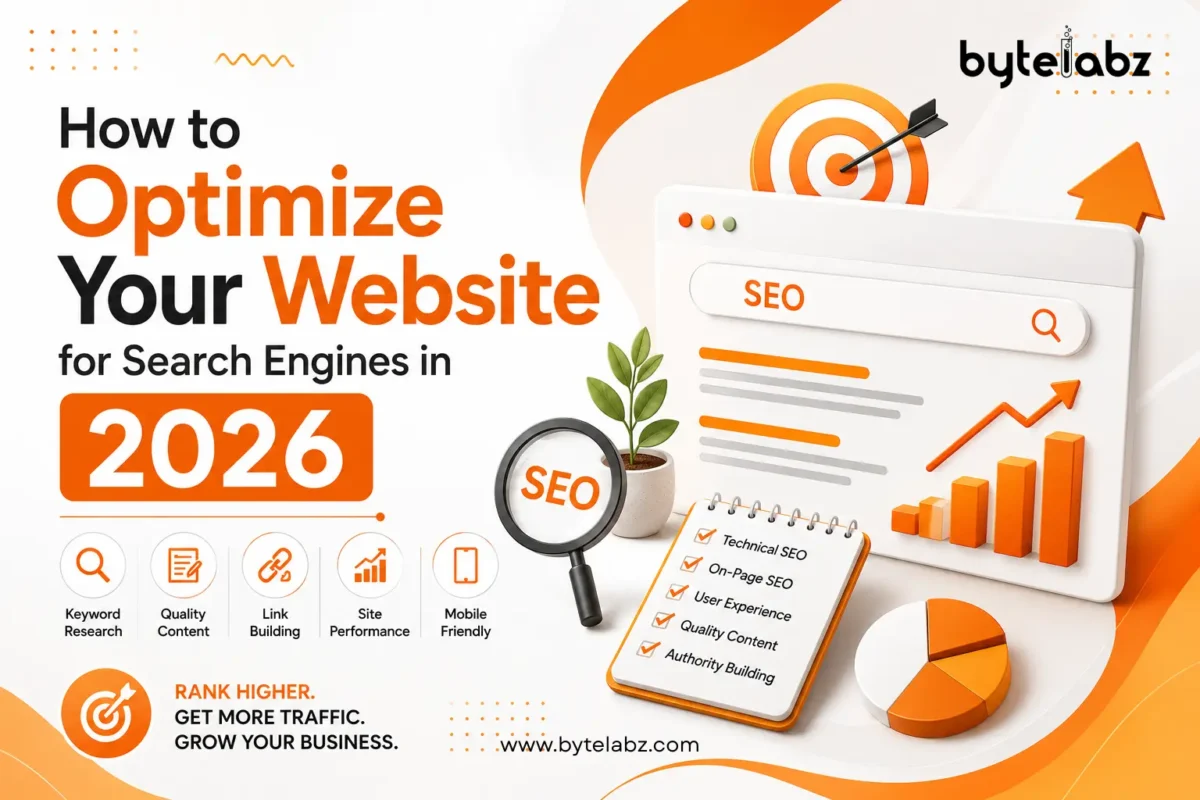
How to Optimize Your Website for Search Engines in 2026

In 2026, businesses must continuously optimize website for search engines visibility to stay ahead in the competitive digital world. Search engines are smarter than ever, focusing on user experience, helpful content, website speed, mobile responsiveness, and AI-driven search intent. Companies that adapt to these changing SEO trends can improve rankings, increase traffic, and generate better leads.

Whether you own a start-up, eCommerce store, or service-based company, having a properly optimized website is essential for online success. At Bytelabz, we help businesses build SEO-friendly websites that improve visibility and conversions.


How Google’s 2026 Ranking Systems Work (and What’s Changed)


Search Engine Optimization is still one of the highest-ROI digital marketing platforms. Unlike paid advertising, which stops the moment your budget runs out, SEO builds compounding organic visibility over time.

Modern search engines evaluate far more than keywords. Topical authority means covering your subject area comprehensively across multiple interlinked pages — not just one page. For Bytelabz, this means a hub page on SEO services supported by spoke pages on technical SEO, local SEO, Core Web Vitals, and content strategy. Google’s systems increasingly surface brands that demonstrate depth across a topic, not just a single well-optimised page.

Businesses that treat SEO as a one-time setup — rather than a continuous discipline — tend to lose ground after major updates. Google ran three significant Core Updates between March 2025 and March 2026, each reinforcing the same direction: reward genuine expertise, penalize thin or scaled content.

Businesses that fail to adapt may lose visibility in search results. This is why businesses must continually optimize website for search engines performance utilizing updated SEO methods.


User Intent & Helpful Content: The Foundation of 2026 SEO


Google and AI-powered search systems prioritize content that directly answers user queries. Instead of keyword stuffing, businesses should focus on creating informative and valuable content.

Tips for Better Content Optimization

  • Write clear and engaging content
  • Solve user problems
  • Use natural keywords
  • Add FAQs
  • Update old blogs regularly
  • Use headings properly
  • Include visuals and infographics

For example, if someone searches for “best SEO company in Kerala,” your content should provide detailed information, services, pricing insights, and customer trust signals.

At Bytelabz Services, businesses can find professional SEO, web development, and digital marketing solutions tailored for modern search engines.

Optimize Your Website


Improve Website Speed and Core Web Vitals


Website speed is a confirmed ranking factor, and Google’s Core Web Vitals are the specific measurements that determine whether your page is “fast enough.” Here are the three current metrics and their thresholds — note that FID (First Input Delay) was retired in March 2024 and replaced by INP:

Metric What it measures Good threshold
LCP (Largest Contentful Paint) How fast the main content loads Under 2.5 seconds
INP (Interaction to Next Paint) How quickly the page responds to user input Under 200ms
CLS (Cumulative Layout Shift) Whether page elements jump around during load Under 0.1

Test your site free at Page Speed Insights and check real-user field data in Google Search Console under Core Web Vitals. Lab ratings alone are not adequate – field data from real Chrome users is what Google utilizes for ranking. 

From our audits: Most Kerala SME websites fail INP first. The most common culprit is JavaScript-heavy themes (particularly WooCommerce stores with multiple tracking scripts loading synchronously). Deferring non-critical scripts typically improves INP by 40–80ms.

Technical fixes that move the needle:

  • Compress and convert images to WebP or AVIF format (reduces LCP significantly).
  • Use a lightweight theme — avoid page builders with excessive DOM size.
  • Minify CSS and JavaScript; defer render-blocking scripts.
  • Enable browser caching with appropriate cache headers.
  • Use a CDN (Content Delivery Network) to offer materials from the servers nearer to your users.
  • Target TTFB (Time to First Byte) under 600ms — this reflects your hosting and server response quality; upgrade hosting if you’re on shared servers.


Mobile-First SEO: Why Your Mobile Site Determines Your Rankings


More than 70% of consumers now visit websites via mobile devices. Search engines primarily use mobile-first indexing, meaning your mobile website version matters the most.

Important Mobile SEO Practices

  • Responsive web design
  • Fast mobile loading speed
  • Easy navigation
  • Clickable buttons
  • Optimized font sizes
  • Mobile-friendly content layout

A well-designed website can greatly enhance engagement as well as conversions. Bytelabz Web Designing helps businesses create modern, responsive websites optimized for all devices.


AI Search Optimisation: How to Rank in Google’s AI Overviews


AI-powered search is changing the SEO landscape in 2026. Search engines now understand context, semantics, and user behavior better than before.

AI SEO Optimization Tips

  • Use conversational content
  • Target long-tail keywords
  • Add structured data
  • Optimize for voice search
  • Create topical authority
  • Build content clusters

Instead of writing only for search engines, create content that genuinely helps users. This improves trust, engagement, and rankings.

Businesses aiming to optimize website for search engines visibility should also focus on featured snippets and AI-generated search summaries.


Technical SEO Checklist: What Google’s Crawlers Need to Index You


Technical SEO ensures search engines can properly crawl and index your website.

Essential Technical SEO Checklist

  • XML sitemap submission
  • HTTPS security
  • Proper robots.txt configuration
  • Fix broken links
  • Canonical tags
  • Schema markup
  • Clean URL structure
  • Internal linking strategy

A technically optimized website improves crawling efficiency and ranking performance.

You can also explore Bytelabz Web Development services for customized SEO-friendly website development.


Build High-Quality Backlinks in 2026: What Still Works


Backlinks remain a strong ranking signal in 2026. However, quality matters more than quantity.

Best Backlink Strategies

  • Guest posting
  • Local business listings
  • PR outreach
  • Industry directories
  • Content marketing
  • Shareable infographics
  • Partner collaborations

Avoid spammy backlink practices because modern search engines can easily identify manipulative SEO tactics.

Instead, focus on building authority and trust naturally.


Local SEO for Kerala Businesses: Ranking in Trivandrum and Beyond


Local SEO is essential for businesses targeting nearby customers.

Local SEO Optimization Tips

  • Create Google Business Profile
  • Use local keywords
  • Add business schema
  • Collect customer reviews
  • Optimize location pages
  • Maintain NAP consistency

For example, businesses in Kerala can target keywords like:

  • SEO company in Trivandrum
  • Web design company in Kerala
  • Digital marketing agency in Kochi

At Bytelabz, businesses can learn more about the company’s expertise in web design, SEO, and digital growth solutions.


Why Choose Bytelabz for SEO and Web Solutions?


Bytelabz is a full-service web design and development firm providing high-quality SEO, digital marketing, and branding services solutions.

Our team has audited 80+ Kerala business websites. The pattern is consistent: most lose organic traffic not from bad content, but from fixable technical issues — INP failures from JavaScript-heavy themes, LCP delays from uncompressed images, and local schema that was never set up. We fix these systematically, then build the content authority layer on top.

Why Businesses Choose Bytelabz

  • Experienced SEO professionals
  • Custom web development solutions
  • Modern responsive designs
  • Result-oriented digital marketing
  • White-hat SEO strategies
  • Client-focused approach
  • End-to-end online growth support

Bytelabz Solutions is committed to helping businesses grow through innovative technology and effective digital strategies. From website development to SEO optimization, the company delivers tailored solutions that improve online visibility and business performance.


Conclusion


SEO in 2026 is no longer only about keywords. Businesses must focus on user experience, AI-friendly content, technical optimization, mobile responsiveness, and high-quality engagement strategies.

Companies that continuously optimize website for search engines performance can improve visibility, attract qualified traffic, and increase conversions. Working with experienced professionals like Bytelabz ensures your website stays updated with the latest SEO trends and delivers measurable business growth.


Frequently Asked Questions


What is the best way to optimize a website for search engines in 2026?
The highest-impact combination is: genuine E-E-A-T signals (a real author with verifiable expertise, cited sources, first-hand experience), Core Web Vitals compliance (LCP under 2.5s, INP under 200ms, CLS under 0.1), mobile-first design, structured data markup, and content that directly and completely answers user queries. Technical hygiene — clean URLs, proper canonicalization, XML sitemap, no broken links — is the foundation everything else rests on. For most businesses, fixing technical issues and improving content depth delivers faster results than link building.

Why is mobile optimization important for SEO?

Google uses mobile-first indexing, meaning it primarily crawls and evaluates your mobile site — not your desktop version. If your mobile site is slower, shows less content, or has poor usability (small tap targets, horizontal scrolling, tiny fonts), your rankings suffer regardless of how good your desktop site is. With mobile devices accounting for over 63% of global web traffic (Stat counter, Q4 2025), mobile optimization is also directly tied to user experience, conversion rates, and time-on-site — all signals Google monitors.

Does website speed affect SEO rankings?

Yes — Google confirmed page speed as a ranking factor in 2010, and its weight has increased with every Core Web Vitals update since. Practically: a page that meets the “Good” thresholds for LCP, INP, and CLS can earn the Core Web Vitals badge in Search Console and may receive preferential treatment in ranking. Beyond rankings, speed impacts business results directly: a one-second buffer in load time decreases conversions by an average rate of 7% (Akamai, 2024). Test your site at Page Speed Insights and check real-user field data in Search Console — lab scores and field data often differ significantly.

What is INP and why does it matter for SEO?

INP (Interaction to Next Paint) switched FID (First Input Delay) as a Core Web Vital in March 2024. It measures how quickly your page responds to user interactions — clicks, taps, keyboard input — from the moment the user acts to the moment the browser visually updates. The “Good” threshold is under 200ms. Pages that exceed 500ms are classified as “Poor” and face ranking disadvantages. INP is particularly relevant for JavaScript-heavy sites: every script that runs on the main thread during user interaction adds to INP. Common fixes include deferring non-critical scripts, reducing JavaScript bundle size, and using web workers for heavy computations.

Why choose Bytelabz for SEO services?

Bytelabz has audited and optimized websites for 80+ businesses across Kerala, with documented ranking improvements across competitive verticals including legal services, healthcare, retail, and technology. We apply current best practices — not templated strategies from two years ago — and provide transparent monthly reporting on metrics that matter. Contact us to request a free technical audit of your site.

Categories
Blog

What to Look for in a Professional Web Development Partner

For businesses in Trivandrum competing for online customers — whether you’re in IT, healthcare, or retail — your website is often the first and only impression you get. Here is what separates agencies that deliver measurable results from those that deliver only designs.

This page explains the criteria that define a genuinely reliable web development partner — and demonstrates, specifically, how Bytelabz meets each of them.

For businesses searching for a web development company in Trivandrum or across Kerala, the benchmarks below separate genuinely reliable web solutions from expensive disappointments.


1. What Makes a Website Genuinely Reliable? (Core Web Vitals & More)

A reliable website in 2026 must meet four measurable standards: fast load speed (LCP under 2.5 seconds), full mobile optimisation, strong security, and consistent uptime. Here is how each affects your search rankings and customer trust:

    • Speed: Google’s Core Web Vitals require a Largest Contentful Paint (LCP) under 2.5 seconds. Pages that load slowly rank lower and convert fewer visitors.
    • Mobile performance: Over 60% of global web traffic originates from mobile devices. Google indexes the mobile version of your site first, making responsive design a direct ranking factor.
    • Security: Websites handling customer data require SSL certificates, regular security patching, and malware monitoring. A compromised site loses both rankings and customer trust immediately.
    • Uptime: Search engines crawl websites regularly. Frequent downtime prevents indexing and signals instability to both Google and potential customers.

At Bytelabz, every project is developed against these benchmarks before handoff — not as optional extras, but as baseline requirements. Our development checklist includes Google Lighthouse audits, mobile compatibility testing across major browsers, and security hardening on every build.


2. Our SEO-First Web Development Process in Trivandrum: Built for Organic Growth

Many agencies build websites that look impressive at launch but struggle to attract organic traffic. Bytelabz approaches every project differently: we build for search visibility from the first line of code.

Discovery and planning

Every engagement begins with a structured discovery session. We analyse your industry, identify the search queries your target audience uses, and audit your competitors’ online presence. This research directly shapes the site architecture, content hierarchy, and keyword strategy.

SEO-first architecture

Technical SEO is not added after development — it is built into the structure. This includes:

  •     Clean, semantic HTML that search engines can parse efficiently
  •     Logical URL structures and internal linking hierarchies
  •     Schema markup (JSON-LD) for Organisation, Service, FAQ Page, and Local Business where applicable
  •     Optimised meta titles and descriptions for every page
  •     Structured heading hierarchies (H1 through H3) aligned with target keywords

Performance optimisation

Before any website goes live, we run performance audits covering image compression, server response time (TTFB), caching configuration, and unnecessary code removal. Our target is a Google Page Speed score of 85 or above on both desktop and mobile.

Content management

All websites are delivered with a content management system (CMS) configured for non-technical users. Clients can update pages, publish blog posts, and manage media without requiring developer involvement.


3. Custom vs Template Website Development: Which Is Right for You?

A common decision businesses face is whether to use a pre-built website template or invest in custom development. Neither is universally correct — the right choice depends on your business stage, growth trajectory, and competitive environment. 

Factor Template Sites Custom Development
Initial cost Lower Higher
Design flexibility Limited Unlimited
SEO control Partial Full
Page speed Variable Optimized
Scalability Restricted Designed for growth
Unique brand identity Difficult Built in
Long-term maintenance cost Can increase Predictable


Bytelabz builds both. For businesses with straightforward requirements and limited timelines, we offer structured CMS-based builds. For companies with complex workflows, custom integrations, or high-traffic requirements, we deliver fully bespoke solutions.

Not sure which approach is right for your business? Get a free 30-minute consultation!

4.  Website Security & Performance Standards We Apply to Every Project

Website security affects not only customer trust but search engine rankings. Google actively flags insecure websites and may suppress them in search results. Performance issues compound this: a one-second delay in page load time is associated with measurable drops in conversions and engagement.

Security standards on every project

  •     SSL certificate installation and HTTPS enforcement
  •     Input validation and secure coding practices to prevent common vulnerabilities (SQL injection, XSS)
  •     Regular dependency updates and patch management post-launch
  •     Firewall and malware monitoring configuration
  •     Secure user authentication systems where applicable

Performance standards on every project

  •     Image compression and next-generation format delivery (WebP)
  •     Browser and server-side caching configuration
  •     Minification of CSS, JavaScript, and HTML
  •     Database query optimisation for dynamic sites
  •     Server response time (TTFB) benchmarked under 600ms


5. Web Development for Every Industry: Healthcare, Retail, Education & More

Different industries have materially different requirements for their websites — in terms of compliance, user experience, content structure, and conversion goals. A healthcare provider’s website has different priorities than an eCommerce brand or a real estate agency.

Bytelabz has delivered projects across the following sectors:

  • Healthcare and medical services — appointment systems, patient information pages, compliance-aware design
  • Real estate — property listing integrations, map functionality, lead capture forms
  • Education and e-learning — course catalogues, student portals, LMS integrations
  • Retail and eCommerce — product catalogues, secure checkout, inventory management
  • Hospitality — booking engines, gallery pages, local SEO configuration
  • Professional services — service pages structured for local and national search
  • Start-ups and new ventures — scalable foundations built for growth from day one

Each project begins with an industry-specific discovery process, ensuring that the website reflects both the business’s brand and the expectations of its audience.


6. Website Maintenance & Support Plans — Trivandrum Businesses

A website requires consistent maintenance to remain secure, performant, and competitive in search rankings. Technology changes, security vulnerabilities emerge, and Google’s ranking algorithms evolve. Businesses that treat their website as a one-time investment typically see performance decline within 12 to 18 months.

Bytelabz offers ongoing maintenance and support covering:

  •     Security updates and patch management
  •     Performance monitoring and regular speed audits
  •     Content updates and page additions
  •     Bug identification and resolution
  •     Monthly performance reports
  •     CMS and plugin version management

Our support relationships extend well beyond project completion. Clients retain access to the same team that built their website, ensuring continuity and familiarity.

reliable website solutions

7. Digital Marketing Integration

A website’s organic performance is directly linked to the quality of its digital marketing strategy. Bytelabz offers complementary digital marketing services that work alongside the technical foundation of your website:

  • Search Engine Optimisation (SEO) — ongoing keyword strategy, content optimisation, and backlink development
  • Google Ads management — search and display campaigns aligned with website conversion goals
  • Social Media Marketing — content strategy and community management
  • Content marketing — editorial planning, blog content, and topical authority building
  • Conversion rate optimisation — A/B testing, user behaviour analysis, and UX improvements
  • Email marketing — automated sequences and campaign management

These services are designed to compound the value of your website investment over time, building compounding organic reach rather than relying solely on paid acquisition.

Ready to build a website that ranks and converts? Bytelabz works with businesses in Trivandrum and across Kerala. Free consultation, no obligation.


Frequently Asked Questions

What should I look for when choosing a web development company?

Look for agencies that demonstrate technical SEO knowledge, show measurable results in their portfolio, and offer transparent post-launch support. Key questions to ask: How do they approach Core Web Vitals? Do they build mobile-first? Do they implement schema markup? Agencies without performance data in their portfolio are a warning sign.

Why is Bytelabz considered a reliable web development partner?

Bytelabz applies documented technical standards to every project — Google Lighthouse audits before delivery, SEO-first architecture, security hardening, and structured maintenance plans. Based in Trivandrum and serving businesses across Kerala, our team has delivered 100+ websites with measurable improvements in organic traffic and page performance.

Does Bytelabz provide website maintenance after the project is complete?

Yes. Maintenance is handled by the same team that built your website, ensuring continuity. Plans cover security updates, performance monitoring, bug fixes, content updates, and monthly reporting. Contact us for current plan details and pricing.

Can Bytelabz build websites for businesses in specialised industries?

Yes. Bytelabz has delivered projects across healthcare, real estate, education, retail, hospitality, and professional services in Trivandrum and Kerala. Each project starts with an industry-specific discovery session. See our portfolio!

How does Bytelabz improve website performance and page speed?

We optimise performance through image compression (WebP format), caching, code minification, database query optimisation, and server response time tuning. Every website is verified against a Google Page Speed score of 85 or above on both desktop and mobile before delivery.

How do I get started with Bytelabz?

Getting started is straightforward. Reach us via phone, WhatsApp, or the contact form on this page. We’ll schedule a free discovery call — typically within 24 hours — to understand your business, goals, and budget before proposing a scope of work. No obligation.